
![[Products] viaim OpenNote - CES Innovation Award and industry recognition](http://store.viaim.ai/cdn/shop/files/opennote_awards.jpg?v=1770129054&width=1600)
![[Products] viaim OpenNote open-ear AI voice recorder earphones - product hero image](http://store.viaim.ai/cdn/shop/files/20250815-160956.png?v=1755245725&width=4000)
![[Scenarios] viaim OpenNote - FlashRecord instant recording from earbuds directly](http://store.viaim.ai/cdn/shop/files/OpenNote-Record_from_Earbuds.jpg?v=1770129054&width=1120)
![[Scenarios] viaim OpenNote - real-time transcription in 78 languages](http://store.viaim.ai/cdn/shop/files/OpenNote-78_Languages_1.jpg?v=1776937841&width=1120)
![[Scenarios] viaim OpenNote - live AI transcription in real time](http://store.viaim.ai/cdn/shop/files/OpenNote-Transcription_in_Real_Time_1.jpg?v=1776937842&width=1120)
![[Scenarios] viaim OpenNote - smart AI summaries with notes and action items](http://store.viaim.ai/cdn/shop/files/OpenNote-Smart_AI_Summaries_1.jpg?v=1776937842&width=1120)
![[Scenarios] viaim OpenNote - share meeting notes in seconds](http://store.viaim.ai/cdn/shop/files/OpenNote-Share_in_Seconds.jpg?v=1776937842&width=1120)
![[Scenarios] viaim OpenNote - Hi-Res audio with active noise cancellation](http://store.viaim.ai/cdn/shop/files/OpenNote-_1.jpg?v=1776937842&width=1120)
![[Scenarios] viaim OpenNote - 600 minutes free AI transcription included monthly](http://store.viaim.ai/cdn/shop/files/OpenNote-600_Mins.jpg?v=1770129054&width=1120)
![[Scenarios] viaim OpenNote - crafted for everyday wear with open-ear comfort design](http://store.viaim.ai/cdn/shop/files/OpenNote-Craft_for_Everyday_Wear.jpg?v=1770129054&width=1120)
![[Products] viaim OpenNote - what is in the box package contents](http://store.viaim.ai/cdn/shop/files/OpenNote-In_The_Box.jpg?v=1770129054&width=1120)
![[Products] viaim OpenNote AI earphones in Black - variant product shot](http://store.viaim.ai/cdn/shop/files/OpenNote_6bfa69d3-d342-499e-9dc5-0ffdc13f9693.jpg?v=1770129054&width=1120)
![[Products] viaim OpenNote AI earphones in White - variant product shot](http://store.viaim.ai/cdn/shop/files/OpenNote_39716f2c-5739-4e5e-8d1e-92695059aab8.jpg?v=1770129054&width=1120)
![[Products] viaim OpenNote open-ear design - comfortable fit for all-day wear](http://store.viaim.ai/cdn/shop/files/8ee163965c752b4df31d594396825cee.png?v=1770129054&width=5178)
![[Products] viaim OpenNote - 53-hour battery life for extended use](http://store.viaim.ai/cdn/shop/files/e2c3486b4375c7e18ba7a5d7a0adc80c.png?v=1770129054&width=5178)
![[Scenarios] viaim OpenNote - works with major meeting apps integration](http://store.viaim.ai/cdn/shop/files/1_1_52cdbc04-a95a-4d50-95ab-4ee055304731.png?v=1770129054&width=500)
![[Scenarios] viaim OpenNote - certified secure with ISO 27001 SOC 2 HIPAA compliance](http://store.viaim.ai/cdn/shop/files/1_1_43510a2a-e1d1-4203-b1a4-533291e3fd2c.png?v=1770129054&width=500)
![[Scenarios] viaim OpenNote AI recording earphones - lifestyle product photo](http://store.viaim.ai/cdn/shop/files/c1d739c2420ca9886862898fd3d63e17.png?v=1770129054&width=4000)
![[Products] viaim OpenNote Black bundled with NoteKit AI note taker](http://store.viaim.ai/cdn/shop/files/opennote_notekit.jpg?v=1776935494&width=1600)
![[Products] viaim OpenNote White bundled with NoteKit AI note taker](http://store.viaim.ai/cdn/shop/files/opennote_notekit_2_93f55c21-96e0-4d19-b29e-190280159d2c.jpg?v=1776935513&width=1600)
![[Products] viaim OpenNote product image - opennote pro black f1635336 4002 4f53 8c07 e1d94ef4372d](http://store.viaim.ai/cdn/shop/files/opennote_-pro-black_f1635336-4002-4f53-8c07-e1d94ef4372d.png?v=1780984474&width=1600)
![[Products] viaim OpenNote product image - opennote ultra black 1ab3ddab 5bf1 4e44 a7e7 cb2c789f6b37](http://store.viaim.ai/cdn/shop/files/opennote_-ultra-black_1ab3ddab-5bf1-4e44-a7e7-cb2c789f6b37.png?v=1780984592&width=1600)
![[Products] viaim OpenNote product image - opennote pro white dd90055f 682b 496d a34b 93392cbdb5b0](http://store.viaim.ai/cdn/shop/files/opennote_-pro-white_dd90055f-682b-496d-a34b-93392cbdb5b0.png?v=1780984474&width=1600)
![[Products] viaim OpenNote product image - opennote ultra white 9d6bd407 f03b 43f6 92f4 4c029e2130ac](http://store.viaim.ai/cdn/shop/files/opennote_-ultra-white_9d6bd407-f03b-43f6-92f4-4c029e2130ac.png?v=1780984592&width=1600)
![[Video] viaim OpenNote product video](http://store.viaim.ai/cdn/shop/files/preview_images/debb24062bf14e5e9da665b64216bb04.thumbnail.0000000000.jpg?v=1787285082&width=1920)
![[Products] viaim OpenNote product image - ultopennotebundle](http://store.viaim.ai/cdn/shop/files/ultopennotebundle.png?v=1781318131&width=1600)
![[Products] viaim OpenNote product image - ultopennotebundle 2](http://store.viaim.ai/cdn/shop/files/ultopennotebundle-2.png?v=1781318132&width=1600)
![[Products] viaim OpenNote product image - proopennotebundle 4](http://store.viaim.ai/cdn/shop/files/proopennotebundle-4.png?v=1781317957&width=1600)
![[Products] viaim OpenNote product image - proopennotebundle 3](http://store.viaim.ai/cdn/shop/files/proopennotebundle-3.png?v=1781317957&width=1600)
viaim OpenNote - The AI Earbuds Built for All-Day Work
Open-ear AI Note Taker
More than a recorder — viaim OpenNote is your everyday earphones and AI meeting assistant in one.
Open-Ear Comfort: Built to stay on through long workdays.
53-Hour Battery: Meetings, calls, and listening without battery anxiety.
AI Notes Built In: Record, transcribe, summarize, and review.
FlashRecord: Instant recording from earbuds directly.
Certified Secure: Built with ISO 27001, ISO 27701, SOC 2 Type II, and EN 18031 compliance.
600 Minutes Included: Start with 600 mins/month of AI transcription, upgrade when needed.
Do I need to buy with an AI plan to use OpenNote?
No. OpenNote works without a paid subscription and includes 600 free transcription minutes each month. You can add an AI Plan for more transcription time and advanced AI features, or upgrade anytime later.
How do I receive and activate my AI Plan?
After purchase, you’ll receive an activation code by email. Redeem the code in your viaim account to activate your plan.
Can I cancel or refund my AI Plan?
Unused AI Plans can be eligible for a refund. Once an AI Plan has been activated or redeemed, it is non-refundable. If you return your RecDot after activating the included AI Plan, the value of the activated plan will be deducted from your refund.
Can I use one AI Plan with multiple viaim devices?
Yes. Your AI Plan is linked to your viaim account, not a single device, so you can use your plan across compatible viaim devices signed in to the same account.
What is NoteKit?
NoteKit is a USB AI meeting recorder for your computer. Plug it into your Mac or Windows PC to capture computer audio and nearby conversations, then get transcripts, summaries, and action items in viaim.
Why add NoteKit if I already have OpenNote?
OpenNote is ideal when you want to record while wearing your earbuds. NoteKit gives you another option for computer-based meetings—especially when you’d rather use your speakers or join a meeting without wearing earbuds.
Do I need a separate subscription for NoteKit?
No separate subscription is required. NoteKit uses the same viaim AI service as your other viaim devices, including your available transcription minutes and AI features.
Pairs well with
Free shipping within 1-2 business days.
30-day risk-free return
12-Month Warranty
Worry-Free Delivery
viaim OpenNote - The AI Earbuds Built for All-Day Work
How OpenNote Works

Four ways to capture every conversation.
All in one device.

Capture phone & internet calls
Never worry about missing key details during phone calls. Record and transcribe your conversations directly with OpenNote, and you'll receive clear notes for easy review anytime.
Turn audio or video into instant notes
Play any podcast, webinar, or recorded meeting. OpenNote captures the audio and converts it into structured notes in real time.
Capture in-person meetings and discussions
Record live conversations and meetings while OpenNote transcribes and summarizes everything automatically.
Understand and record multilingual conversations
OpenNote records the original speech while instantly translating it into your language in real time.
Understand Every Word,
In Any Context
Convert speech into precise, searchable text — ready to review, edit, and act on.


AI Smart Summary
Turn conversations into notes, insights, mindmap & next steps, automatically.

Smart AI Summary
Instant summaries that make sense
Automatically generate notes, key points, action items,
and mind maps — ready to share.
Professional summary templates
Use ready-made templates for different industries and scenarios, or create your own custom templates tailored to your workflow.
Regenerate with your prompt
Refine summaries with your own instructions until they match exactly what you need.


Record or Upload Anything
Not everything starts with OpenNote — and that’s okay.
Upload recordings or documents. viaim processes them with the same AI intelligence — organizing content, extracting key points, and linking everything together.

Organized by Projects with Spaces
Your AI Workspace for Focused Knowledge: Group recordings, notes, and documents by project or topic.With clearer context, Vitana delivers more accurate, relevant answers.

Ask Vitana, Get Clear Answers
Answer based on your knowledge: Ask anything about your meetings, notes, or documents.Vitana searches across your recordings and organized Spaces to give answers based on your own knowledge — not generic internet results.

Export What Matters
From conversations to deliverables: Turn your recordings and notes into structured outputs.
Export summaries, transcripts, and highlights into ready-to-use formats — so you can quickly share, present, or build on them.
Record Anytime. Review Anywhere.

Control Your Device in the viaim App


Smart recording control
Start or manage recordings directly from the app.

Custom recording notification
Stay compliant wherever you record. Customize recording notifications based on local regulations and your preference.

Personalized device settings
Adjust controls, recording preferences, and device behavior — so RecDot works the way you work.

Review & Edit

Edit summaries with ease
Refine AI-generated summaries and highlight the insights that matter.

Work with your notes faster
Search, edit, and organize recordings directly from your browser.

No phone required
Sign in on Web to review and edit recordings anytime.
Every OpenNote comes with 600 free minutes every month
No hardware feature is locked behind a plan. Upgrade only when you need more minutes.
Basic
IncludedPro
Ultra
$79.99/year
$159.99/year
Swipe to see all plans
Plan minutes apply to AI transcription and summaries in the viaim app. Recording, playback, and local storage on OpenNote always work without a plan.


Product details
Sound & Microphone
Driver Unit
High-Polymer Racetrack-Shaped Dynamic Driver
Call Noise Cancellation
Supported
Microphones
4 microphones
Audio Codecs
SBC, AAC, LHDC (device-dependent)
Connectivity & Control
Bluetooth Version
5.3
Dual Device Connection
Supported
Voice Control
Supported
FlashRecord
Supported
Battery & Charging
Earbud Battery Life
19 hours
Earbuds + Charging Case Battery Life
53 hours
Earbud Battery Capacity
115mAh
Charging Case Battery Capacity
750mAh
Design & Weight
Earbud Weight
10.5g
Charging Case Weight
55.5g
Included in the Box

Earphones

Charging Case

USB-C Cable

Quick Start Guide


FAQs
What exactly is OpenNote?
OpenNote is an AI-powered note-taking device built into open-ear earbuds.
It records conversations, transcribes them into text, and turns them into structured summaries, insights, and action items — automatically.
How is OpenNote different from a normal voice recorder?
Unlike traditional recorders, OpenNote doesn’t just capture audio.
It understands conversations — turning them into searchable transcripts, summaries, and answers you can actually use.
What can OpenNote record?
OpenNote can capture:
- Phone and internet calls
- In-person meetings
- Podcasts, videos, and online content
- Personal voice notes and ideas
Can I record without my phone?
Yes.
You can start recording directly from the OpenNote earbuds — no phone needed.
Is it legal to record conversations?
Recording laws vary by country and region.
OpenNote provides customizable recording notifications to help you stay compliant with local regulations.
We recommend always informing participants before recording.
What kind of summaries can OpenNote generate?
OpenNote automatically creates:
- Key points
- Action items
- Structured summaries
- Mind maps
You can also customize the format using templates or your own prompts.
Can I edit or refine the AI results?
Yes.
You can regenerate, edit, or ask AI to adjust the summary based on your needs — shorter, more detailed, or focused on specific topics.
Can I upload my own files?
Yes.
You can upload audio recordings, documents, or notes, and viaim App will process them with the same AI capabilities.
Do I need the app to use OpenNote?
The app is used to control recordings and manage device settings.
For deeper work like editing summaries and organizing notes, you can use the web platform.
Do I need a subscription to use OpenNote?
No.
You get 600 minutes of transcription every month for free — no subscription required.
Are there any hidden fees?
No.
All pricing is transparent, and you only upgrade if you choose to.
Is it just for work?
Not at all.
While OpenNote is built for professional use, it’s also perfect for learning, personal notes, and everyday ideas.
What’s the difference between OpenNote and RecDot?
Both share the same AI engine — 78-language transcription, summaries, and action items.
OpenNote uses an open-ear design with ENC and a 53-hour battery, so you stay aware of your surroundings while recording.
RecDot uses an in-ear design with 48dB ANC and a 36-hour battery, built for deeper noise isolation and one-tap recording from both the earbuds and the charging case.
Which one should I choose for meetings — OpenNote or RecDot?
If you want to stay aware of your surroundings — in-person meetings, walking, multitasking — while still capturing every word, OpenNote’s open-ear design is the better fit.
If you need noise isolation in loud environments or want to start recording from the charging case, RecDot is the better choice. Transcription and summary quality are identical on both.
Can OpenNote also start recording from the charging case like RecDot?
Currently, OpenNote’s FlashRecord starts recording directly from the earbuds.
Case-button recording is a RecDot-exclusive feature — see the RecDot product page for details.
I have not received my product. It still shows in process since June 11th. Sad
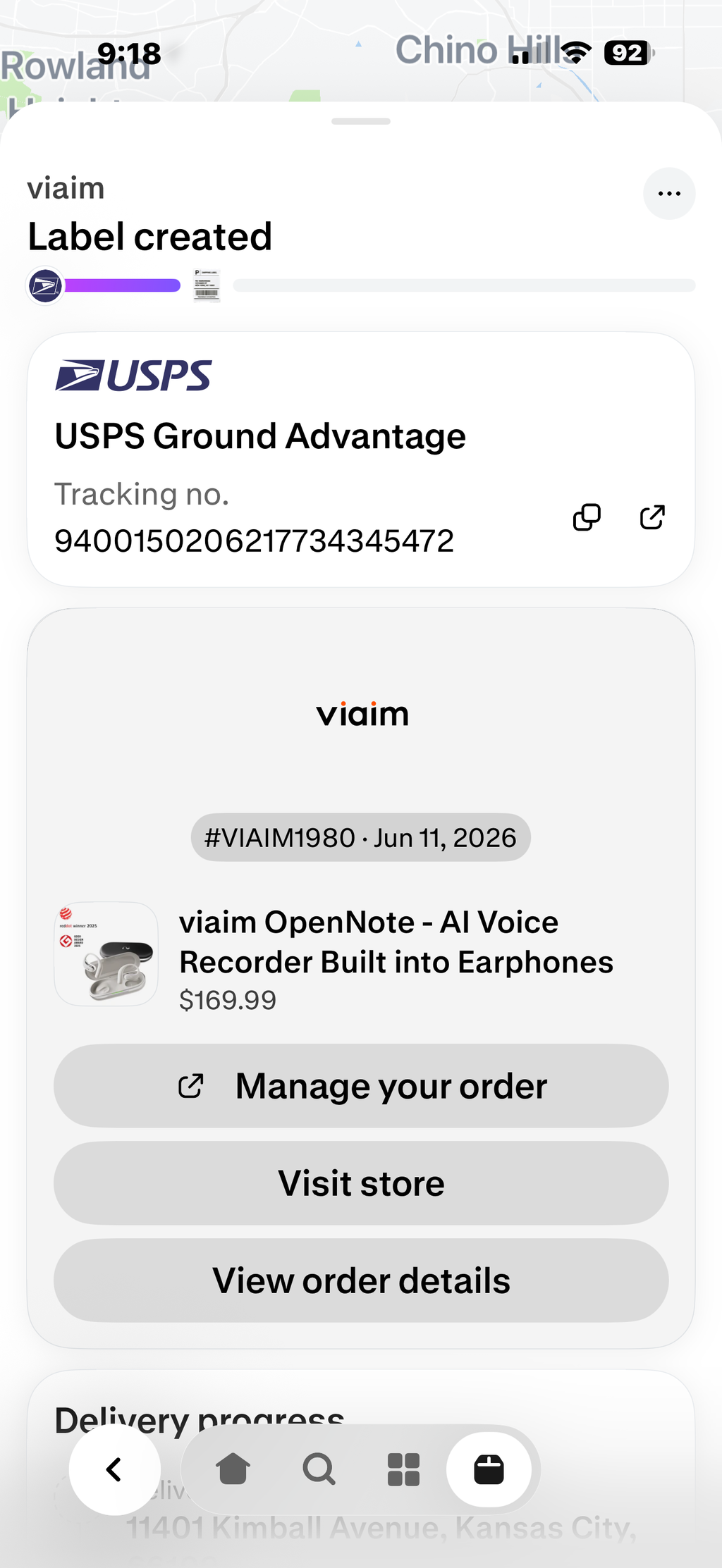
Hi Herb, we're sorry to hear about the shipping issue.
It appears your shipment was affected by an unexpected carrier issue. and our team is actively working to resolve them. We've already reached out to assist and will make sure you receive your order as quickly as possible.
Thank you for your patience, and we sincerely apologize for the inconvenience.
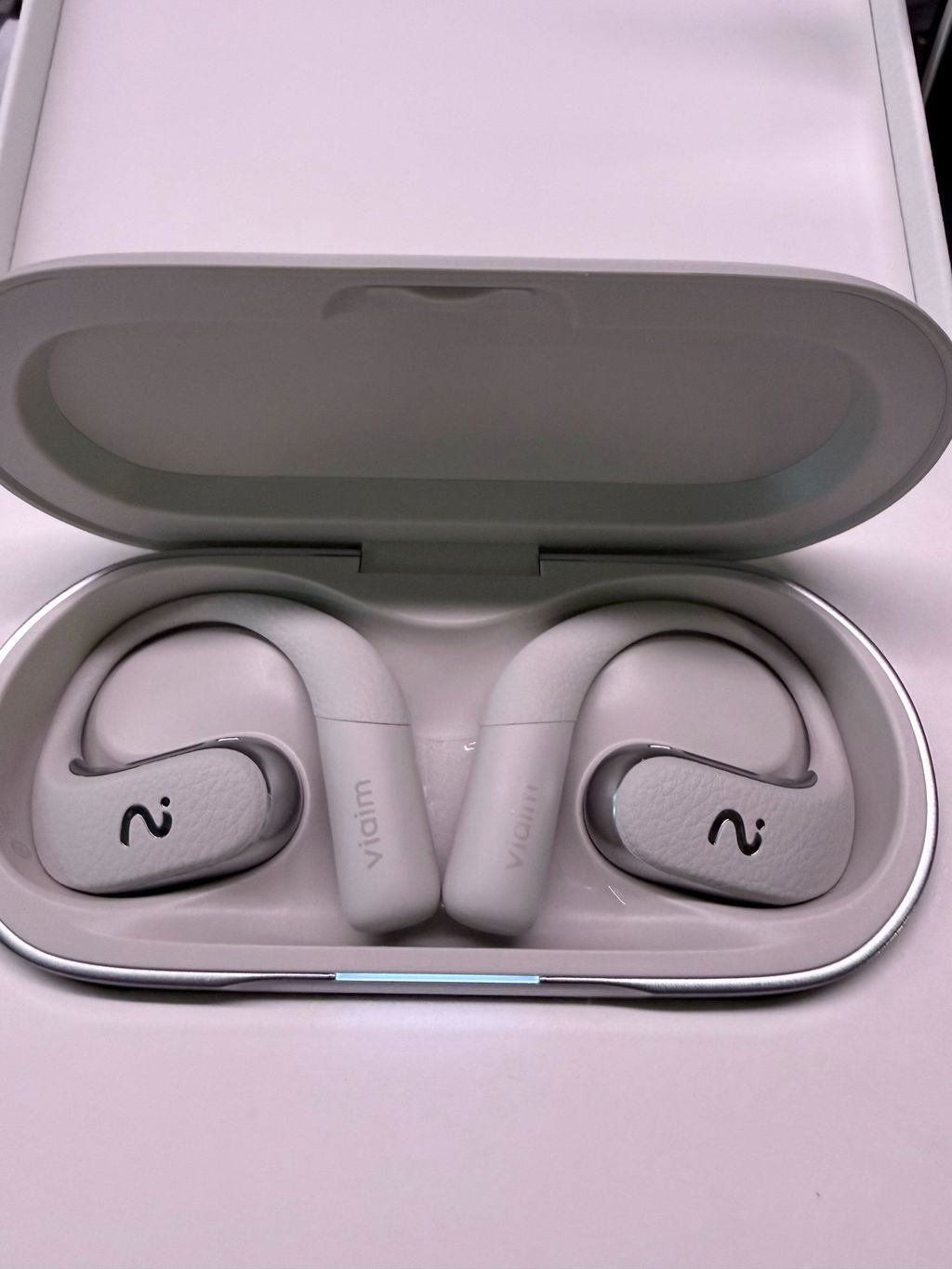
The earbuds is nice looking, and it can record any calls, that's great for me
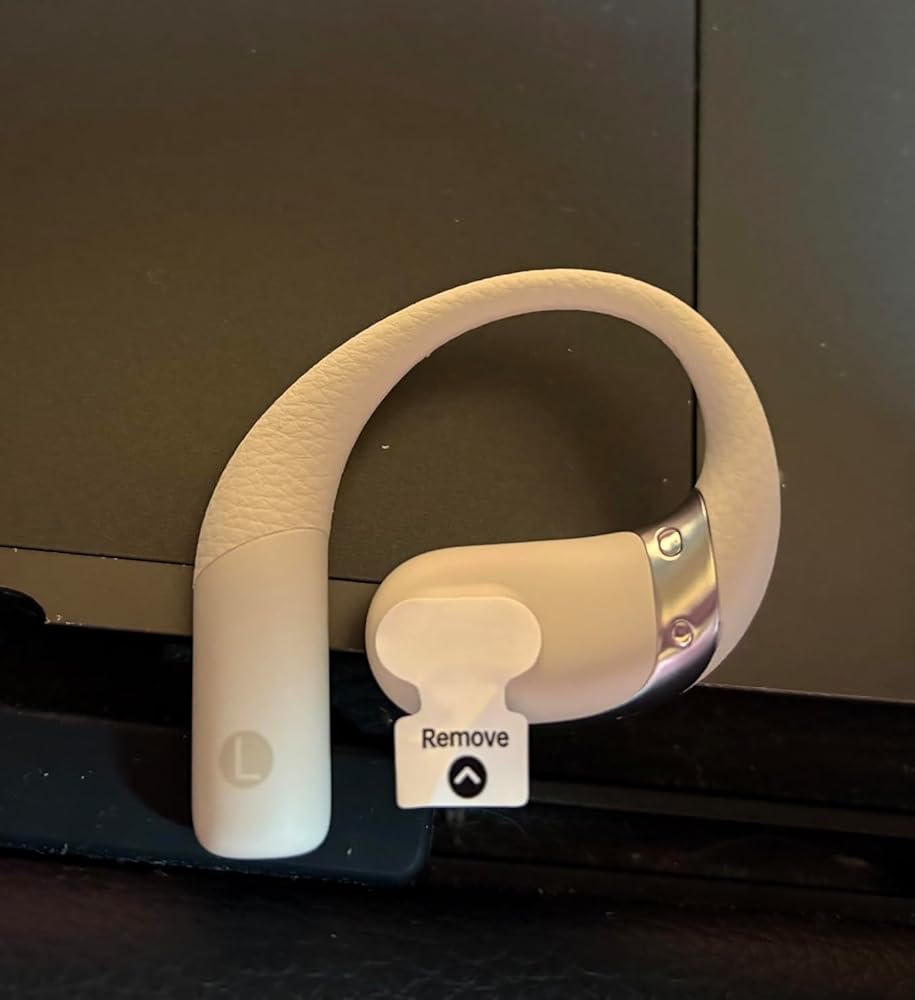
Just a tip - I was having a hard time trying to pair these, what they fail to mention is there are these little tiny plastic stickers over the tips of the earbuds. Once you remove those and following the pairing instructions you will be good to go - they work great!!
The open-ear design of these earbuds is perfect for outdoor activities and commuting! The voice-to-text feature is super useful for taking notes during meetings or classes. It's honestly so practical!


The media could not be loaded.
This is a def stunning product I ever had and I am so proud of my decision. Package made in a very nice quality, def a decent gift for Christmas and holiday or just a bday gift. Def worth the price especially it’s not just an ai note it’s a very nice earbuds as well. I try to test out its ability on live recordings and transcription, it does have what ever it happens on the TV. And the sounds quality it’s very good. So multi-usage. Size it’s slightly bigger than Apple, but I like it, it’s not an insert type so more capable for long-wear. Very easy to set up, satisfied shopping experience. My iphone compatible with this sets.

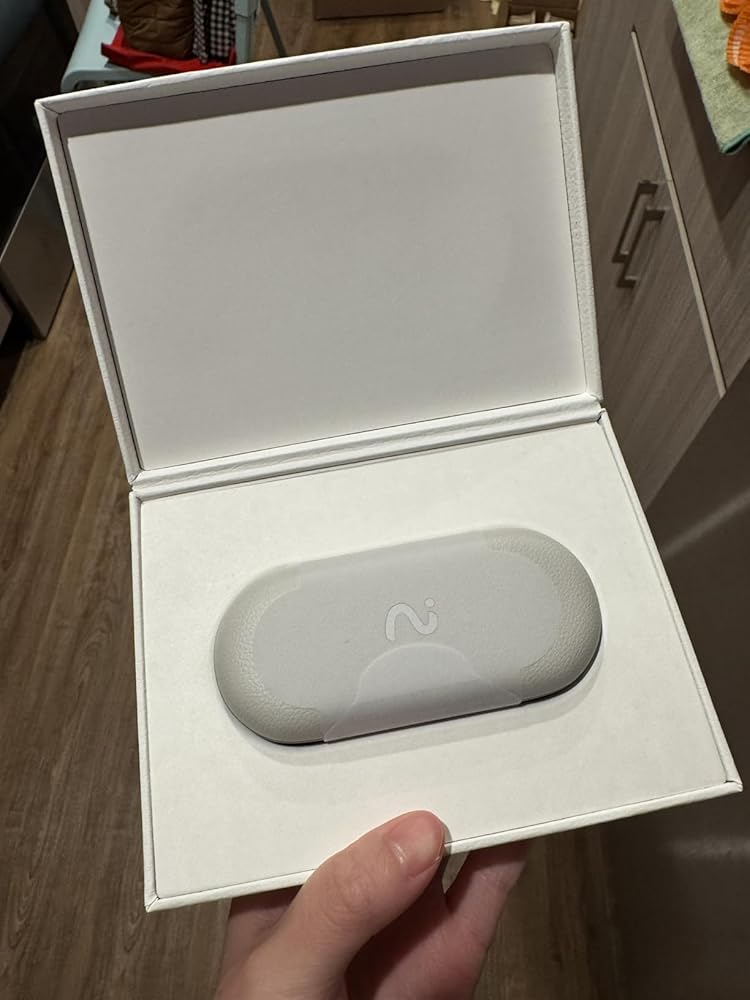


These earbuds are awesome! The live translation works super smoothly—great for trips or chatting with people who speak other languages. The recording feature is clear and super handy for saving notes. Plus, they sound amazing and feel comfy even after hours. Totally worth it!


Very impressed with the sound quality of these earphones! The open-ear design is very comfortable and doesn’t hurt my ear even if I wear them for a long time. It may take some time to get used to wearing them in the beginning. Very easy to pair with my phone and you can connect two devices at the same time. The AI recording and transcribing function is pretty cool, and it’s a nice function to have for taking meeting notes. I love the design of the earphones too, looks very clean and high quality with the waterproof and leather coating. Really happy with them overall.

The transcription is spot-on — saves me so much time taking notes. The open-ear design is comfy, and the battery lasts all day. Perfect for meetings, interviews, or even just recording ideas on the go. Totally worth it!
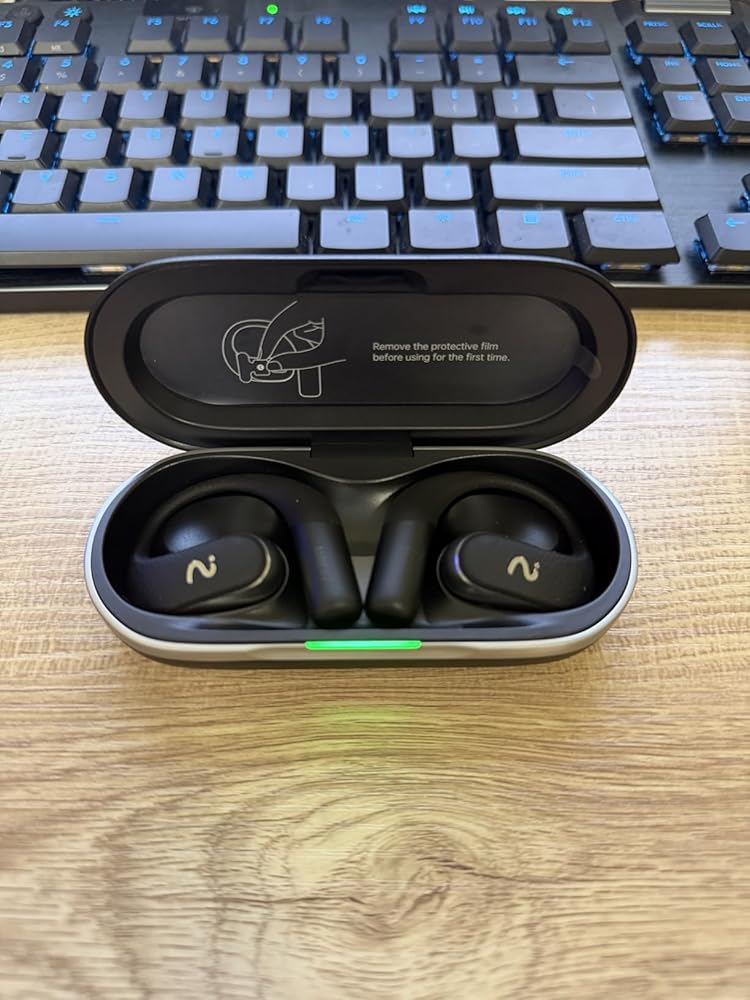

Got these earbuds a week ago and honestly I’m impressed. The open-ear design is super comfy and I can still hear stuff around me, which is nice. The AI recording thing is actually pretty cool, I tried it in a meeting and it picked up everything clearly. Battery lasts long too. Only thing is they look kinda big at first, but after wearing for a bit it’s fine. Overall really happy with them.

I mean, wow! I didn’t expect it to be this good! Super Comfortable and Smart.The fit is perfect, even for long hours. AI recording and transcription are quick and accurate. The packaging is great too. Feel like a real premium product. Quite happy with the purchase.
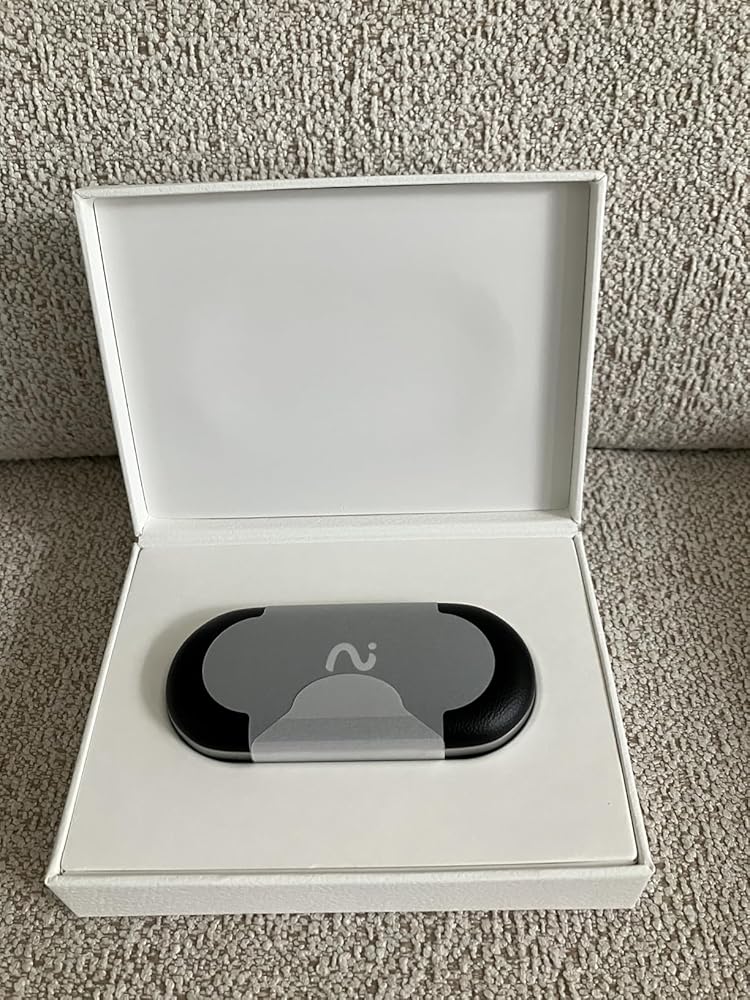

I never had any experience with AI bluetooth earbuds before so this product from the company provide excellent first time experience and quality; will be supporting their future products
easy to use right out of the box. customer service was prompt with a delivery snafu. My initial review is that the product does what it says it does.
Thank you for your review and for your patience during the delivery issue. We're sorry for the initial shipping mishap, but we're glad we could quickly arrange a replacement and get everything back on track. It's great to hear that the product is living up to expectations. Thank you for choosing viaim!
works well for recording meetings, but after wearing it for a long time it can feel a little uncomfortable.
Recording meetings is simple, and the app makes it easy to go back and read the transcript later. The summaries help a lot when meetings get long.
The recordings work well, but sometimes the transcript takes a bit of time to generate after longer meetings.
The app is very easy to use, the summary helps me quickly find the key points of discussion
Recording works smoothly and the transcription helps when I need to go back and find specific points
The transcription is pretty good, though sometimes I still clean it up a bit. Overall it makes meeting notes much easier.
The transcription is better than I expected. Still needs small edits sometimes, but overall it’s really useful.
The transcription and direct recording functions are great, but the comfort of the earphones themselves didn't meet my expectations.
I use it mostly for work meetings. Recording is easy and the transcription is pretty accurate. The audio quality can be better.
So far so good
I purchased these at the recommendation of a friend and am not disappointed. After only an hour I find them to be extremely comfortable to wear and the sound quality is better than the Apple AirPods I use. After removing the tabs the were quick and easy to pair with my Mac. The build quality is also very nice. Use of faux leather gives them the feel of something that should be more expensive. I haven't used them for recording yet, but have no doubt they will perform very well.
Really appreciate the life enhancing features!! Reallyyy wish we could record in stereo Left side and Right side earbud microphones!! I am well educated on the left and right noise canceling reasons however we would benefit greatly to have two channels Left and Right recordings. So many other reasons I am happy to share with you as a pro audio engineer. Also 48k 32bit float would be as beneficial(!) 32bit floating point makes everything so clear! Please consider this feature update! Viaim would lead the world market with these two features!
Easy to wear, great sound and comfortable.
I tried this AI live translation earphone at a conference and was really impressed! It picked up voices clearly even in a busy room, and the translation was surprisingly accurate and quick! Recommend to use for multilingual meetings!
Recording works great, and works even better when you have the app open!