
![[Scenarios] viaim RecDot - FlashRecord instant recording from earbuds](http://store.viaim.ai/cdn/shop/files/Record_from_Earbuds.jpg?v=1769680232&width=1120)
![[Products] viaim RecDot product image - recdot earbuds 2](http://store.viaim.ai/cdn/shop/files/recdot-earbuds_2.png?v=1784879367&width=1600)
![[Scenarios] viaim RecDot - AI transcription turning conversations into searchable text](http://store.viaim.ai/cdn/shop/files/RecDot_f09526ea-f21f-47d2-9740-fd770b49be48.jpg?v=1776937605&width=1120)
![[Scenarios] viaim RecDot - real-time transcription in 78 languages](http://store.viaim.ai/cdn/shop/files/RecDot-78_Languages.jpg?v=1776937710&width=1120)
![[Scenarios] viaim RecDot - smart AI summaries with key takeaways and tasks](http://store.viaim.ai/cdn/shop/files/RecDot-Smart_AI_Summaries.jpg?v=1776937604&width=1120)
![[Scenarios] viaim RecDot - live transcription in real time](http://store.viaim.ai/cdn/shop/files/RecDot-Transcription_in_Real_Time_1.jpg?v=1776937604&width=1120)
![[Scenarios] viaim RecDot - share meeting notes in seconds](http://store.viaim.ai/cdn/shop/files/RecDot-Share_in_Seconds_1.jpg?v=1776937604&width=1120)
![[Scenarios] viaim RecDot - crafted for everyday wear lightweight at 4.8g per earbud](http://store.viaim.ai/cdn/shop/files/RecDot-Craft_for_Everyday_Wear_1.jpg?v=1769680232&width=1120)
![[Scenarios] viaim RecDot - 600 minutes free AI transcription included monthly](http://store.viaim.ai/cdn/shop/files/600_Mins.jpg?v=1769680232&width=1120)
![[Scenarios] viaim RecDot - works for any conversations meetings calls and more](http://store.viaim.ai/cdn/shop/files/Works_for_Any_Conversations.jpg?v=1769680232&width=1120)
![[Products] viaim RecDot - what is in the box package contents](http://store.viaim.ai/cdn/shop/files/recdot_in_the_box.jpg?v=1769757895&width=1600)
![[Products] viaim RecDot AI earbuds in Black - detailed product shot](http://store.viaim.ai/cdn/shop/files/recdot_black.png?v=1770359539&width=1600)
![[Products] viaim RecDot AI earbuds in Silver - variant product shot](http://store.viaim.ai/cdn/shop/files/recdot_sliver.jpg?v=1770359539&width=1600)
![[Products] viaim RecDot AI earbuds that take notes - Black variant with charging case](http://store.viaim.ai/cdn/shop/files/viaimRecDotBlack2.png?v=1769680232&width=1500)
![[Products] viaim RecDot Black - earbuds close-up showing compact form factor](http://store.viaim.ai/cdn/shop/files/viaimRecDotBlack5.png?v=1770359539&width=1500)
![[Products] viaim RecDot Silver earbuds - side angle showing premium design](http://store.viaim.ai/cdn/shop/files/viaim_RecDot_White_4.png?v=1770359539&width=1500)
![[Products] viaim RecDot Silver bundled with NoteKit AI note taker](http://store.viaim.ai/cdn/shop/files/10-removebg-preview_76b7c05b-aa67-4b75-8393-4099d64a0f13.png?v=1770359539&width=503)
![[Products] viaim RecDot Black bundled with NoteKit AI note taker](http://store.viaim.ai/cdn/shop/files/9-removebg-preview_dc31d98b-6ebb-4fa0-a8ce-25348d8510c2.png?v=1770359539&width=503)
![[Products] viaim RecDot product image - recdot pro sliver 6d97b41b ee07 4562 89d2 58c7140da394](http://store.viaim.ai/cdn/shop/files/recdot_-pro-sliver_6d97b41b-ee07-4562-89d2-58c7140da394.png?v=1782141970&width=1600)
![[Products] viaim RecDot product image - recdot pro black 1a28d165 a1fe 4430 b0eb bb028814f969](http://store.viaim.ai/cdn/shop/files/recdot_-pro-black_1a28d165-a1fe-4430-b0eb-bb028814f969.png?v=1782141968&width=1600)
![[Products] viaim RecDot product image - recdot ultra black 1ce614b6 8daa 4035 b2d5 6eece7d39001](http://store.viaim.ai/cdn/shop/files/recdot_-ultra-black_1ce614b6-8daa-4035-b2d5-6eece7d39001.png?v=1782141965&width=1600)
![[Products] viaim RecDot product image - recdot ultra sliver 0661dc45 47b7 43d1 97d1 1a2fabb17d6d](http://store.viaim.ai/cdn/shop/files/recdot_-ultra-sliver_0661dc45-47b7-43d1-97d1-1a2fabb17d6d.png?v=1782141964&width=1600)
![[Video] viaim RecDot product video](http://store.viaim.ai/cdn/shop/files/preview_images/1525fcc918ed4f0fb8bfe255eb914ae1.thumbnail.0000000000.jpg?v=1787284652&width=3840)
![[Products] viaim RecDot product image - ultrarecdotsbundle 2](http://store.viaim.ai/cdn/shop/files/ultrarecdotsbundle-2.png?v=1781317433&width=1600)
![[Products] viaim RecDot product image - ultrarecdotsbundle](http://store.viaim.ai/cdn/shop/files/ultrarecdotsbundle.png?v=1781317433&width=1600)
![[Products] viaim RecDot product image - prorecdotsbundle](http://store.viaim.ai/cdn/shop/files/prorecdotsbundle.png?v=1781317362&width=1600)
![[Products] viaim RecDot product image - recdotslvbundle](http://store.viaim.ai/cdn/shop/files/recdotslvbundle.png?v=1781316197&width=1600)
viaim RecDot – The Earbuds that Remember for You
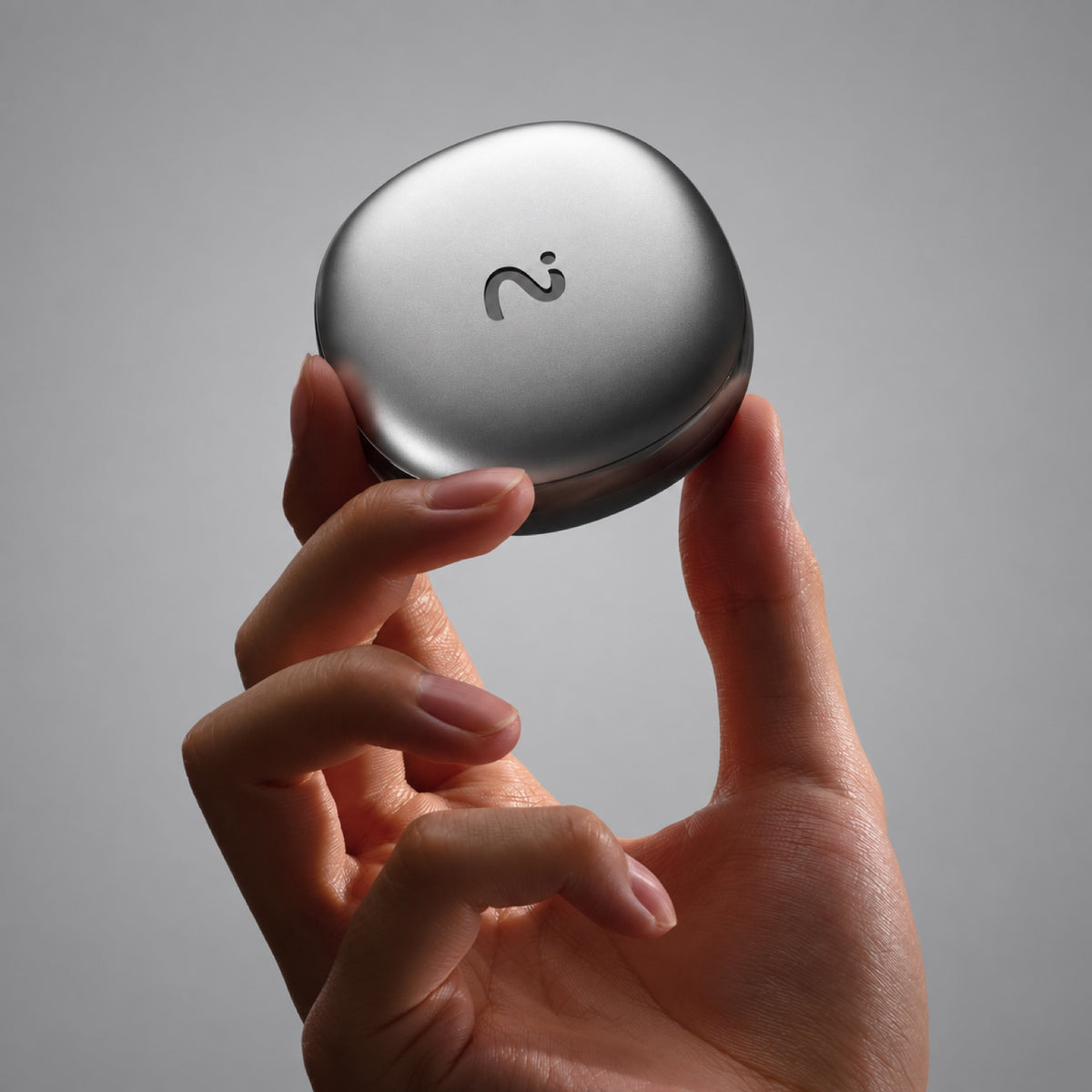
AI recorder + premium earbuds in one device.
FlashRecord: Instant one-tap recording from case & earbuds
AI Transcription: Turn conversations into clear, searchable transcripts in 78 languages
Instant Summaries: Generate notes, key takeaways, tasks, and deep insights automatically.
Certified Secure: Built with GDPR, ISO 27001, ISO 27701, SOC 2 Type II, and EN 18031 compliance.
Immersive Audio: Hi-Res sound with Active Noise Cancellation for work and everyday listening.
Built for Real Life: Up to 36 hours of battery life, lightweight at 4.8g per earbud.
600 Minutes Included: Start with 600 mins/month of AI transcription, upgrade when needed.
What is the AI Annual Plan? Do I need it?
RecDot works without a paid subscription and includes 600 free transcription minutes each month. You can add an AI Plan for more transcription time and advanced AI features, or upgrade anytime later.
How do I receive and activate my AI Plan?
After purchase, you’ll receive an activation code by email. Redeem the code in your viaim account to activate your plan.
Can I cancel or refund my AI Plan?
Unused AI Plans can be eligible for a refund. Once an AI Plan has been activated or redeemed, it is non-refundable. If you return your RecDot after activating the included AI Plan, the value of the activated plan will be deducted from your refund.
Can I use one AI Plan with multiple viaim devices?
Yes. Your AI Plan is linked to your viaim account, not a single device, so you can use your plan across compatible viaim devices signed in to the same account.
What is NoteKit?
NoteKit is a USB AI meeting recorder for your computer. Plug it into your Mac or Windows PC to capture computer audio and nearby conversations, then get transcripts, summaries, and action items in viaim.
Why add NoteKit if I already have RecDot?
RecDot is ideal when you want to record while wearing your earbuds. NoteKit gives you another option for computer-based meetings—especially when you’d rather use your speakers or join a meeting without wearing earbuds.
Do I need a separate subscription for NoteKit?
No separate subscription is required. NoteKit uses the same viaim AI service as your other viaim devices, including your available transcription minutes and AI features.
Free shipping within 1-2 business days.
30-day risk-free return
12-Month Warranty
Worry-Free Delivery
More than Earbuds.
AI that Works for You.
AI that Works for You.


One Device. Every Conversation
Made for Real Life That Matters

On a call? Just talk.
RecDot records and transcribes phone and internet calls automatically.
Perfect for client calls, Zoom meetings, and remote interviews.
For Learning & Research
Turn any content into notes.
Play a podcast, webinar, or video — RecDot captures and converts it in real time.
In a meeting? Stay present.
Be fully present while AI handles the documentation.
Get clear summaries and action items instantly after every meeting.
Speak different languages. Understand everything.
RecDot records the original speech while instantly translating it into your language in real time.
Voice Recording. Always Ready
Never miss a thought — even without your phone

Record from Earbuds
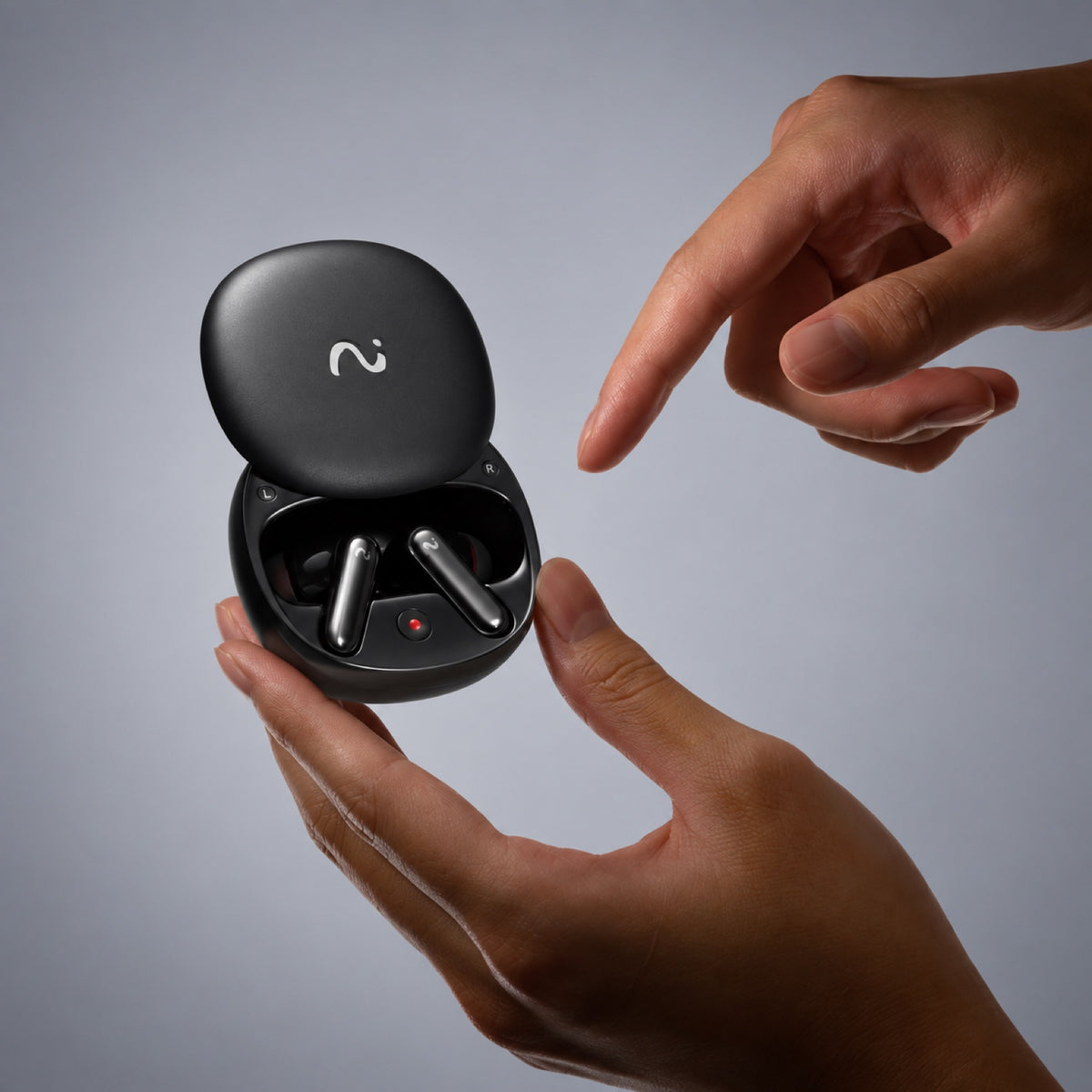
Long-press the earbuds to capture meetings, calls, or ideas — discreet and effortless.

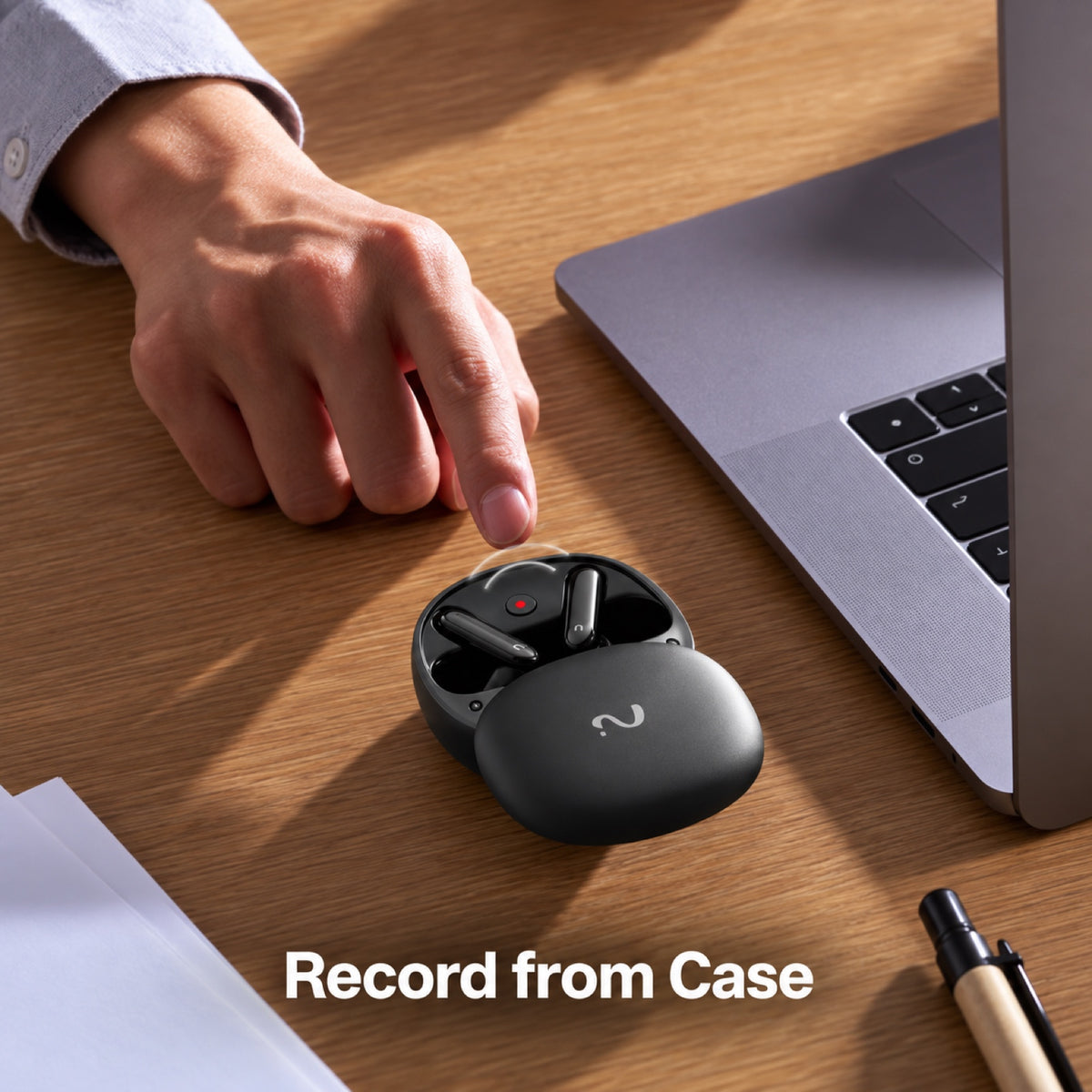
Record from Charging Case
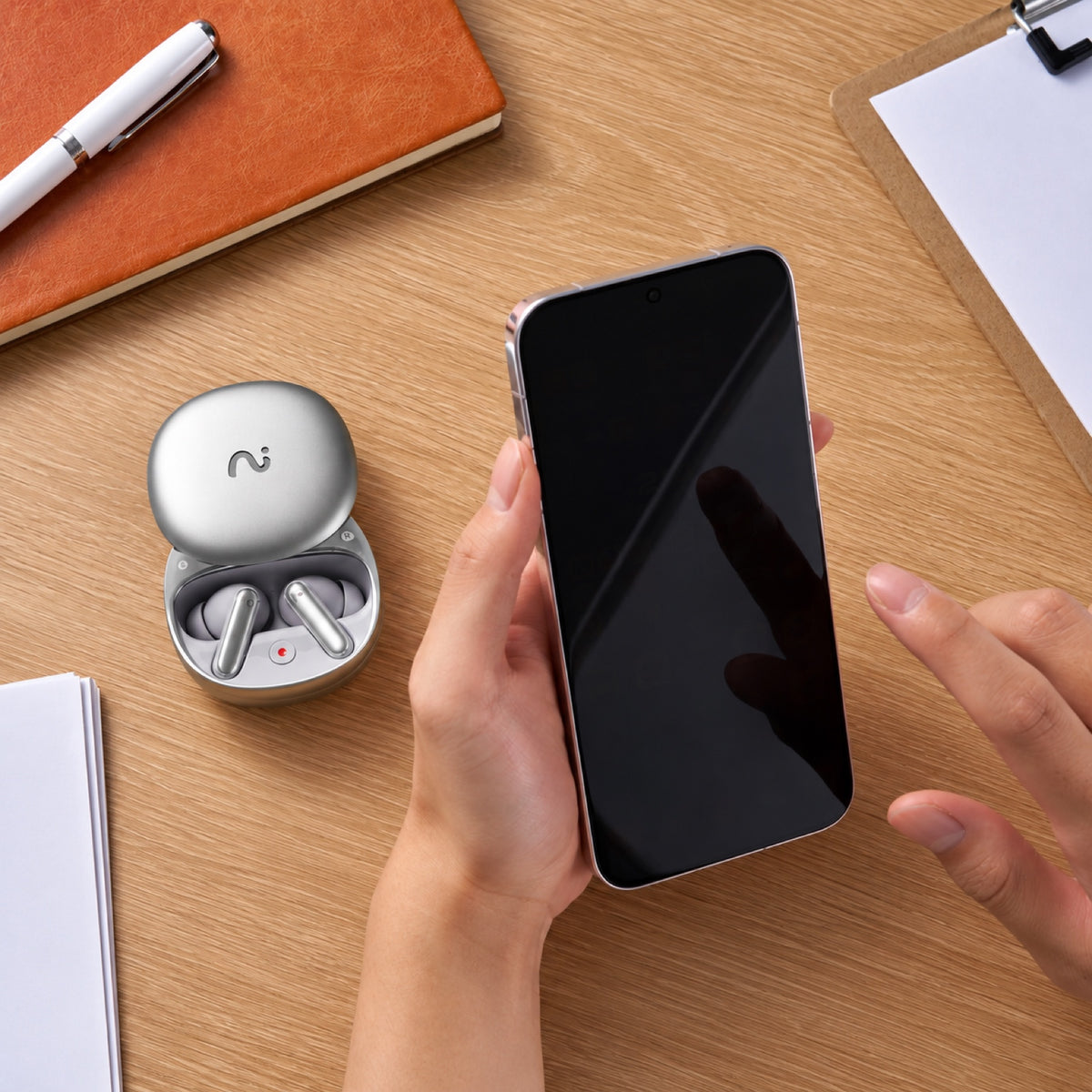
Not wearing earbuds? Open the case and start recording meetings or conversations instantly.
Understand Every Word.
In Any Context
Convert speech into precise, searchable text — ready to review, edit, and act on.


Your Conversation Turns into Summaries
Turn conversations into notes, insights, mindmap & next steps, automatically.

Instant summaries that make sense
Automatically generate notes, key points, action items, and mind maps — ready to share.
Built-in templates
Use ready-made templates for different industries and scenarios, or create your own custom templates tailored to your workflow.
Regenerate with your prompt
Refine summaries with your own instructions until they match exactly what you need.


Record or Upload Anything
Not everything starts with RecDot — and that’s okay.
Upload recordings or documents. viaim processes them with the same AI intelligence — organizing content, extracting key points, and linking everything together.

Organized by Projects with Spaces
Your AI Workspace for Focused Knowledge: Group recordings, notes, and documents by project or topic. With clearer context, Vitana delivers more accurate, relevant answers.

Ask Vitana, Get Clear Answers
Answer based on your knowledge: Ask anything about your meetings, notes, or documents.Vitana searches across your recordings and organized Spaces to give answers based on your own knowledge — not generic internet results.

Turn Insights into Action
Share Insights in the Format You Need: Turn your recordings and notes into structured outputs.
Export summaries, transcripts, and highlights into ready-to-use formats — so you can quickly share, present, or build on them.
Record with RecDot.
Review Anywhere.

Control Your Device in the viaim App


Smart recording control
Start or manage recordings directly from the app.

Custom recording notification
Stay compliant wherever you record. Customize recording notifications based on local regulations and your preference.

Personalized device settings
Adjust controls, recording preferences, and device behavior — so RecDot works the way you work.

Review & Edit on Web

Edit summaries with ease
Refine AI-generated summaries and highlight the insights that matter.

Work with your notes faster
Search, edit, and organize recordings directly from your browser.

Access everything from your browser
Sign in on Web to review and edit recordings anytime.
Every RecDot comes with 600 free minutes every month
No subscription required. 600 minutes / month forever!
Basic
IncludedPro
Ultra
$79.99/year
$159.99/year
Swipe to see all plans
Plan minutes apply to AI transcription and summaries in the viaim app. Recording, playback, and local storage on RecDot always work without a paid plan.
Your Privacy, Protected.





Not Just AI.
Works where you do.
Note-taking earbuds, designed for real life.


Specs
Sound & Microphone
Driver Unit
11mm titanium-coated dynamic driver
Noise Cancellation
48dB depth active noise cancellation
Microphones
Triple microphones + bone conduction microphone
Audio Codecs
SBC, AAC, LHDC
Connectivity & Control
Bluetooth Version
5.2
Dual Device Connection
Supported
Voice Control
Supported
Instant Recording
Supported
Battery & Charging
Earbud Battery Life
9 hours
Earbuds + Charging Case Battery Life
36 hours
Charging Methods
Wired / Wireless
Earbud Battery Capacity
63mAh
Charging Case Battery Capacity
550mAh
Design & Weight
Earbud Weight
4.8g each
Charging Case Weight
52g
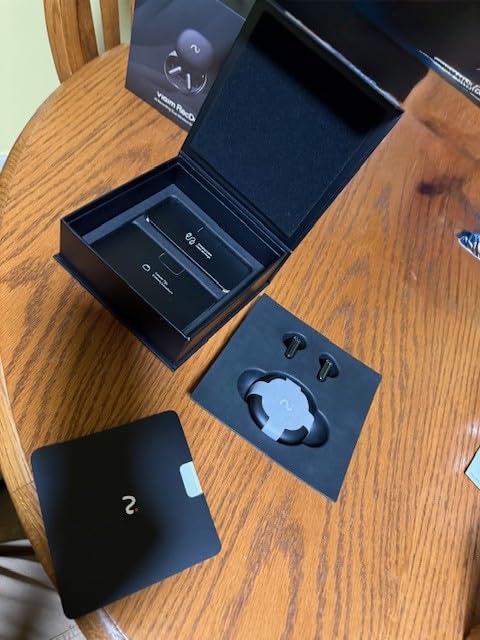
Included in the Box

Earbuds

Case

USB-C Cable

Quick Start Guide


FAQs
What exactly is RecDot?
RecDot is an AI-powered note-taking device built into earbuds.
It records conversations, transcribes them into text, and turns them into structured summaries, insights, and action items — automatically.
How is RecDot different from a normal voice recorder?
Unlike traditional recorders, RecDot doesn’t just capture audio.
It understands conversations — turning them into searchable transcripts, summaries, and answers you can actually use.
What can RecDot record?
RecDot can capture:
- Phone and internet calls
- In-person meetings
- Podcasts, videos, and online content
- Personal voice notes and ideas
Can I record without my phone?
Yes.
You can start recording directly from the earbuds or the charging case.
Is it legal to record conversations?
Recording laws vary by country and region.
RecDot provides customizable recording notifications to help you stay compliant with local regulations.
We recommend always informing participants before recording.
What kind of summaries can RecDot generate?
RecDot automatically creates:
- Key points
- Action items
- Structured summaries
- Mind maps
You can also customize the format using templates or your own prompts.
Can I edit or refine the AI results?
Yes.
You can regenerate, edit, or ask AI to adjust the summary based on your needs — shorter, more detailed, or focused on specific topics.
Can I upload my own files?
Yes.
You can upload audio recordings, documents, or notes, and viaim App will process them with the same AI capabilities.
Do I need the app to use RecDot?
The app is used to control recordings and manage device settings.
For deeper work like editing summaries and organizing notes, you can use the web platform.
Do I need a subscription to use RecDot?
No.
You get 600 minutes of transcription every month for free — no subscription required.
Are there any hidden fees?
No.
All pricing is transparent, and you only upgrade if you choose to.
Is it just for work?
Not at all.
While RecDot is built for professional use, it’s also perfect for learning, personal notes, and everyday ideas.
The transcription quality is really bad. That’s my main purpose of purchasing this. I’ve gone back over the audio and it’s not the best. This is a serious issue because of the product claim. If I wanted a good audio and mic, I’d always go for the Sony XM series which is cheaper.
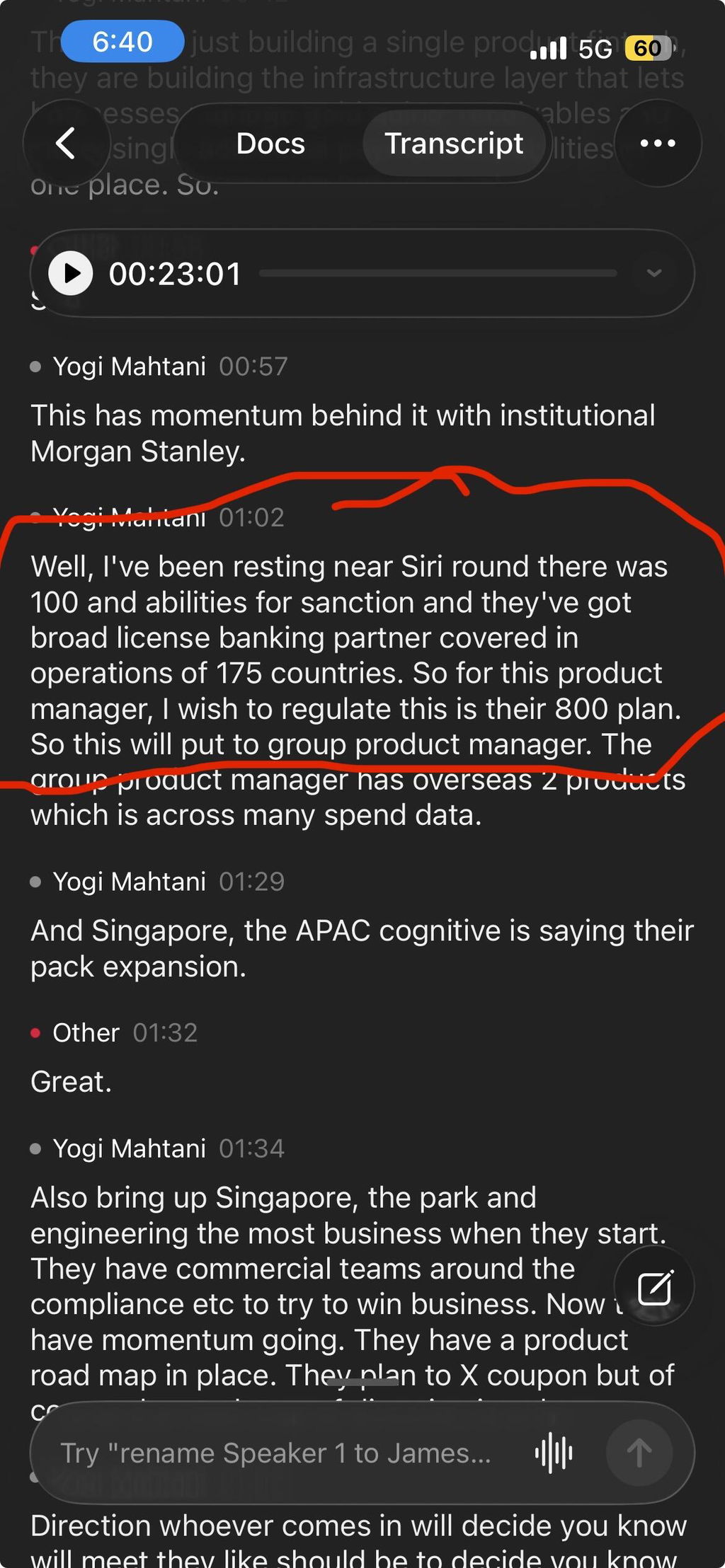
Hi Yogi, thanks for sharing the example. We can see that parts of the highlighted transcript are not reading correctly, and we understand why that would be frustrating, especially if transcription was a main reason for your purchase.
Transcription quality can be affected by several factors, including the quality of the original recording, background noise, recording environment, and network conditions. If possible, we recommend listening back to the original audio around the affected section to check how clearly the speech was captured. You can also try regenerating the transcript, as this may sometimes produce a better result.
At the same time, we are continuing to improve our transcription models. We are currently working on integrating more advanced models in Q4 to further improve transcription quality and robustness across different recording scenarios.
— viaim Team
It works perfectly. Not only for AI transcription but also for play music with noise cancelation.
It brings its charging cable and some of earplugs tips to get adapted to your ears.
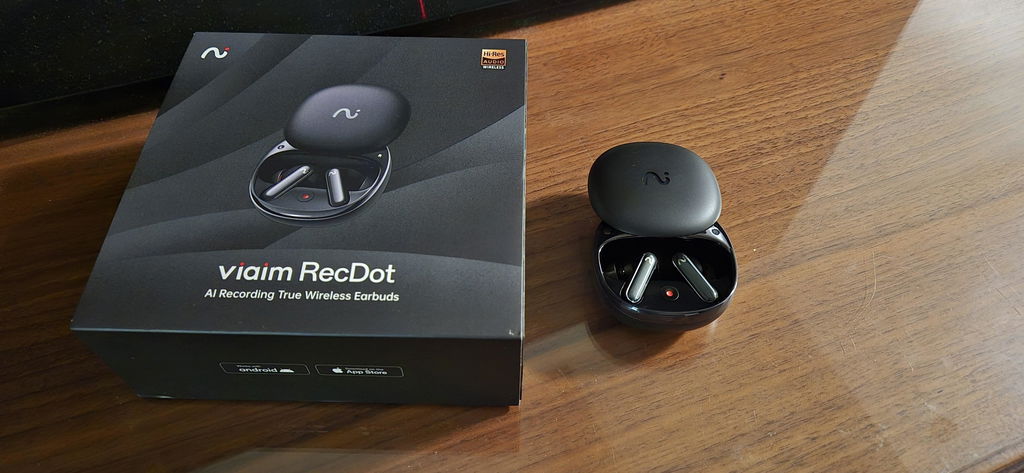
Thanks so much for sharing this!
We’re really glad to hear RecDot is working perfectly for both AI transcription and everyday listening. We designed it to be just as useful for capturing important conversations as it is for enjoying music with comfort and noise cancellation.
It’s also great to hear the included ear tips helped you find the right fit — that makes a big difference for both comfort and audio performance.
Thanks again for choosing viaim and being part of our early community.
My new favorite earbuds
Actually sound great and wearing comfortably all day
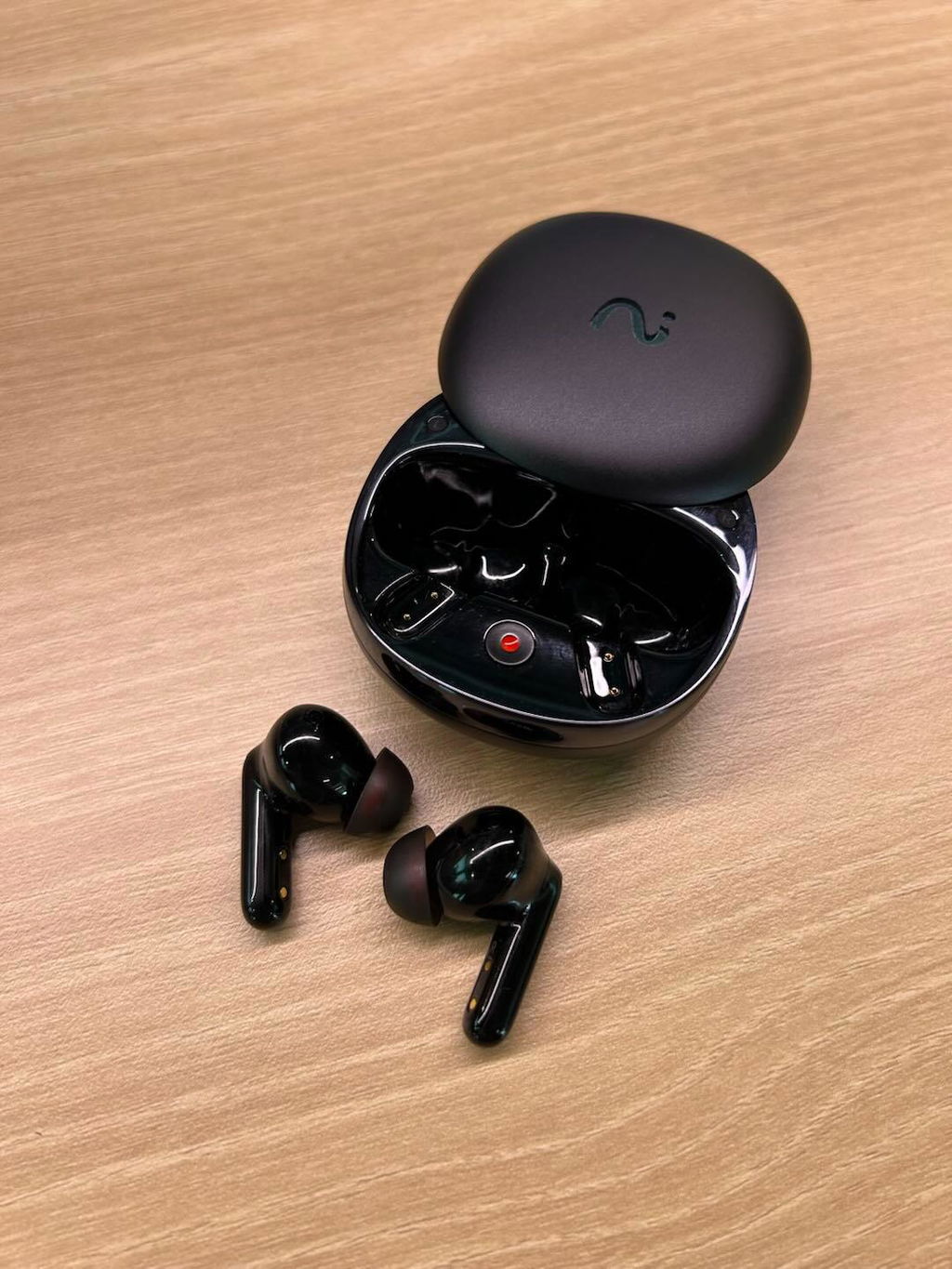
Been using this Recdot for about three months and I’d probably rate it a 4.5. The noise cancelling isn’t quite as strong as I expected, but I really like that it can record straight from the earbuds. I’ve even captured some of my daughter’s cute little conversations when we’re chatting, and the playback is really clear. The summary of our random conversation was actually pretty funny to read.
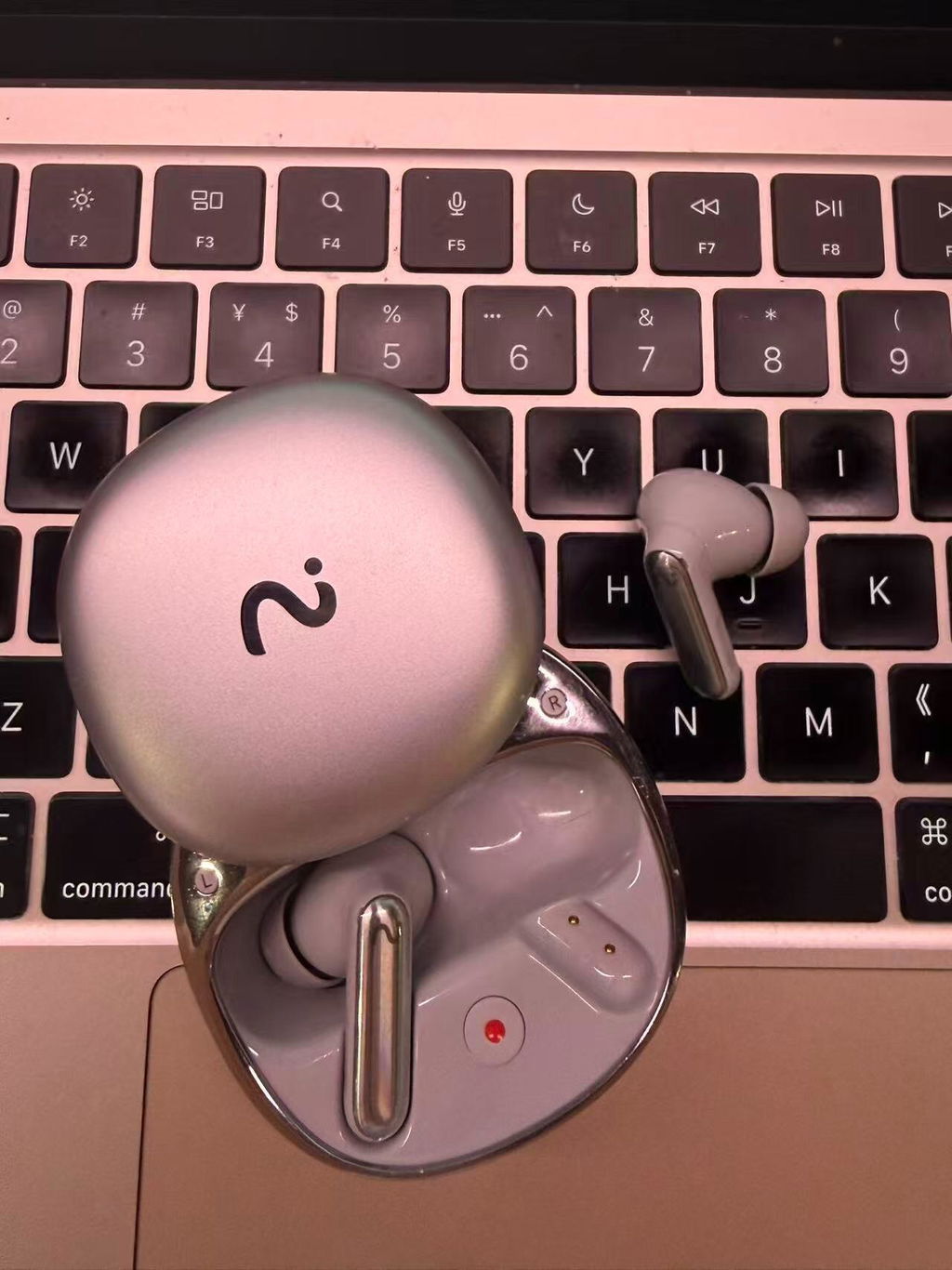
I’ve been using the RecDot AI Voice Recorder Earbuds by viaim for a few days now, and I’m genuinely impressed. These earbuds are not just for listening, they’re like having a personal assistant in your ears.The FlashRecord function is super handy too, one tap and it starts recording instantly. Once finished, you can translate the transcription in your phone to your selected language.Highly recommend for professionals, students and anyone who needs to record and transcribe for work.


The media could not be loaded.
Clear in Noisy Trading FloorsThe 48dB ANC on viaim RecDot earbuds is exceptional. I can clearly record conversations even on loud trading floors. Essential for capturing time-sensitive market information.


I have been contemplating buying this product for a while because I was worried it might sound terrible and record poorly, especially since they were advertising it with all this new AI recording technology. But honestly, it does the recording job surprisingly well. The build quality is decent, and the audio quality is actually much better than my AirPods Pro with ANC. I can finally hear some bass. Overall, it is a solid purchase if you want quality product while trying to experiment with recording phone calls, business meetings, or even school work.


I really like the design and its cool ai feature! The music quality is much better than I expected


I would give these a 3.5 because of the difficulty in getting the recordings and transcriptions.I love the concept of these earbuds! And they are very nice quality. However, there are several things that could be improved to get a 5+ star review.1) too many steps to get what I need. First you must connect the earbuds via blue tooth, which means they have to be in the case, with the case open, just to transfer the recording from the earbud. Next, I have to tap to download and wait for generic named "call recording" to finish and then wait again while it transfers to the cloud. And to get the transcript, I have to again go through way too many steps to transcribe the meeting. I selected English as my preferred language and it should be able to remember my choices so I don't have to accept or select every time. When I have back to back meetings, and the storage is full, I cannot use them to record.2) Transferring the transcription does not allow me to transfer the summary or lists, only the overall transcription. I will say the transcription is pretty accurate.3) I have back to back meetings some days that need to be recorded. It would be nice if the name defaulted to date/time vs. Call Recording with the number of minutes. In order to ensure I get the notes for the correct meeting, I either have to use the meager 600 transcribed minutes per month OR listen to the call and then rename it. Overall, the recording quality and transcription is really good but the steps it takes to get there are not anywhere close to saving time for me!1. For the price of these, 600 mins a month of transcription is not enough.2. It should be much easier to transfer these calls; maybe auto download from the earbud when the call ends? Having to put them in my case means that I miss recording some meetings because the earbud storage is full. And the time it takes to download one 30 minute meeting is approximately 6-8 minutes; then another 5-8 mins to transcribe. This is PER RECORDING!3. I should be able bulk download and transcribe. Only allowing for one download at a time is terrible! If the buds are in the case, set it to auto download. And you can't listen to a meeting that is still stored in the earbud; you must download first.At the end of the day, I do like these and they are a great concept but the time and effort it takes to get the recording and the transcription is not worth the price tag.PROS: Battery life is great, easy to press and hold to record, and quality of the product is good. The design is nice and comes with extra earpiece covers to ensure the best fit. Very nicely packaged!CONS: Not for the impatient or a professional who needs access to recording or notes quickly!

I’ve been using this product for a week now and I’m already loving it. It’s a wonderful device, very useful for both meetings and lectures. The AI transcription and assistance work perfectly, and the sound quality is excellent with great noise cancellation. Overall, it’s a really impressive gadget that makes work and study so much easier.

I am getting pretty poor sound quality especially when connected to my laptop for work meetings which is the main use case I bought them for .. I’m considering returning them because it’s frustrating
Hi Steven,
We're sorry to hear about your experience.
RecDot is designed to support work meetings and calls, so this isn't the experience we want our users to have.
Our team would be happy to investigate the issue and help troubleshoot or discuss available options. Please contact us at service@viaim.ai with your order details.
Thank you for taking the time to share your feedback.
Best,
The viaim team
The Viaim Recdot headphones are fantastic—great sound, comfortable fit, and easy to use. The AI features are amazing, making calls clearer, notes easier, and everyday use smarter. Highly recommend!
Thanks Brad! Glad the sound quality and AI note features are helping in your day-to-day use. Really appreciate you taking the time to share your experience.
The overall user content and instructions are limited regarding the product's features and benefits. There is a lot of guessing about how to record, depending on whether you have one earbud or two on and what you’re recording, which leads to uncertainty in our content.
Thank you for your thoughtful feedback — it’s exactly the kind of input that helps us improve.
You’re absolutely right that recording behavior can feel different depending on how many earbuds you’re wearing and the situation you’re using them in (such as face-to-face conversations, online meetings, or solo note-taking). We clearly haven’t made this intuitive enough, and we appreciate you pointing it out.
Here’s a quick clarification:
**By default, recording starts or pauses by pinching the right earbud.**
If you’d like, you can customize the gesture controls in the viaim App and assign recording controls to both earbuds.
This means you can:
• Wear both earbuds — pinch either earbud (if enabled in Gesture Control settings) to start recording
• Wear one earbud — the same pinch gesture works as long as recording is assigned to that earbud
• Use the charging case — even without wearing the earbuds, simply open the case and press and hold the red button to start recording
For more detailed instructions, our User Guide (https://store.viaim.ai/blogs/user-guide/recording-guide-to-viaim-earbuds) walks through each recording scenario step by step.
We’re also using feedback like yours to improve both our in-box instructions and the app onboarding experience so setup feels clearer from the start.
If you have any other questions, please don’t hesitate to reach out — our team is always happy to help at service@viaim.ai.
The sound quality is solid, but what I use the most now is the call recording feature. During online meetings, I don’t feel like I have to stay super focused on taking notes because it records everything automatically—and the playback is really clear. I haven’t even subscribed to a plan yet, but so far the transcription accuracy and AI analysis have been pretty impressive.
I love them so much. They work like a charm. I only hope they don't break and keep on working because I really never ecer want to be without them.The recordings are saving me DAYS of time in summarising sales meetings - excellent
Thank you so much for this — it genuinely means a lot to us.
We’re especially happy to hear it’s saving you days of work on sales meeting summaries — that’s exactly what we built it for.
And don’t worry — we’re continuously improving both durability and performance to make sure it stays something you can rely on every single day.
The earphones is good enough, but recent updates have made it even better, especially the new web version, I just prefer handling all my documents and notes on my computer.
Appreciate this feedback — it’s great to hear the updates are making things better for you.
The web version is something we’re continuously building around, especially for users who prefer handling notes and documents on a larger screen.
Our goal is to make the transition between recording on your earphones and working on your computer feel completely seamless.
The customer service is excellent. Helps me a lot on how to setup and offer me free trial of pro subscription plan.
The biggest issue is when automatic recording is started it doesn't work more than 50% of the time unless you open the app and double check. So to have a Bluetooth that you can't use without looking at your phone is kind of ridiculous. But when it does record it that's a really good job and the AI built in is great. I won't waste the money subscriptions especially with the product being $200 and recordings not being reliable without the phone.
Thank you for your honest feedback — we really appreciate you taking the time to share your experience.
Regarding automatic recording, you're right to point this out. This is intentional, as fully automatic recording can sometimes capture unintended or irrelevant conversations, which may create confusion or unnecessary recordings for users. At the moment, you can record by a long-pinch of earbuds or one-press the charging case.
In addition, we completely understand the need for a more seamless experience. Our team is actively working on improving this, and a smarter automatic recording feature — combined with filtering out irrelevant recordings — is something we’re planning to introduce in future updates.
We’re glad to hear that when it works, the recording quality and AI features meet your expectations. Your feedback is incredibly valuable in helping us prioritize what to improve next.
Thanks again for your support 🙏
Everything works well so far
I ran into an issue where my left earbud suddenly had no sound while the right one was working fine. I thought it was a hardware problem at first.
Reached out to support and they got back to me within a few hours with troubleshooting steps, and even said they’d replace it if needed. Turned out the charging case was out of battery, so the left earbud never actually charged.
Overall, really quick and helpful support.
I looked at Plaud before getting this, but I prefer using earbuds for meetings instead of external devices. Recdot fits my workflow better since it records directly while I’m on calls.