
If you spend your week in meetings, classes, or research conversations, you've probably tried both ends of the note-taking spectrum: a notebook with the disciplined two-column structure of the Cornell Method, and some flavor of AI note-taker that promises to handle everything for you while you stay present.
Most online comparisons treat this as a fight, then declare AI the winner because it's newer. That's wrong. The Cornell Method and AI note-taking solve overlapping but different problems. Knowing which one to use — and when to use them together — is the actual skill.
This guide gives you a clear answer: when each method wins, the seven situations that should decide your choice, and a hybrid workflow that pulls the strengths of both.
Table of Contents
- Quick Answer: Which One Should You Use?
- What Is the Cornell Note-Taking Method?
- What Is AI Note-Taking?
- The Core Difference (in One Sentence)
- 4 Things Cornell Still Does Better
- 4 Things AI Now Does Better
- Side-by-Side Comparison
- 7 Situations That Decide Which Method to Use
- The Hybrid Workflow: Cornell + AI Together
- Real Use Cases by Role
- 5 Mistakes People Make
- FAQ
Quick Answer: Which One Should You Use?
Use the Cornell Method if you:
- Want to actively learn and retain material (lectures, study, deep reading)
- Need to think while you write — note-taking is part of how you process
- Are in environments where laptops or recording aren't appropriate
- Plan to review the same notes multiple times for an exam, board meeting, or deep work
- Value the cognitive workout of summarizing and questioning your own notes
Use AI note-taking if you:
- Sit through high-volume meetings where capture matters more than recall
- Need verbatim records for legal, sales, or compliance reasons
- Take cross-language calls or work with multilingual teams
- Need to be fully present (eye contact, body language, asking questions) — not heads-down writing
- Run back-to-back conversations with no buffer to review notes
Use both — the hybrid workflow below — if you're a serious learner, consultant, or knowledge worker who needs both retention and capture.
What Is the Cornell Note-Taking Method?
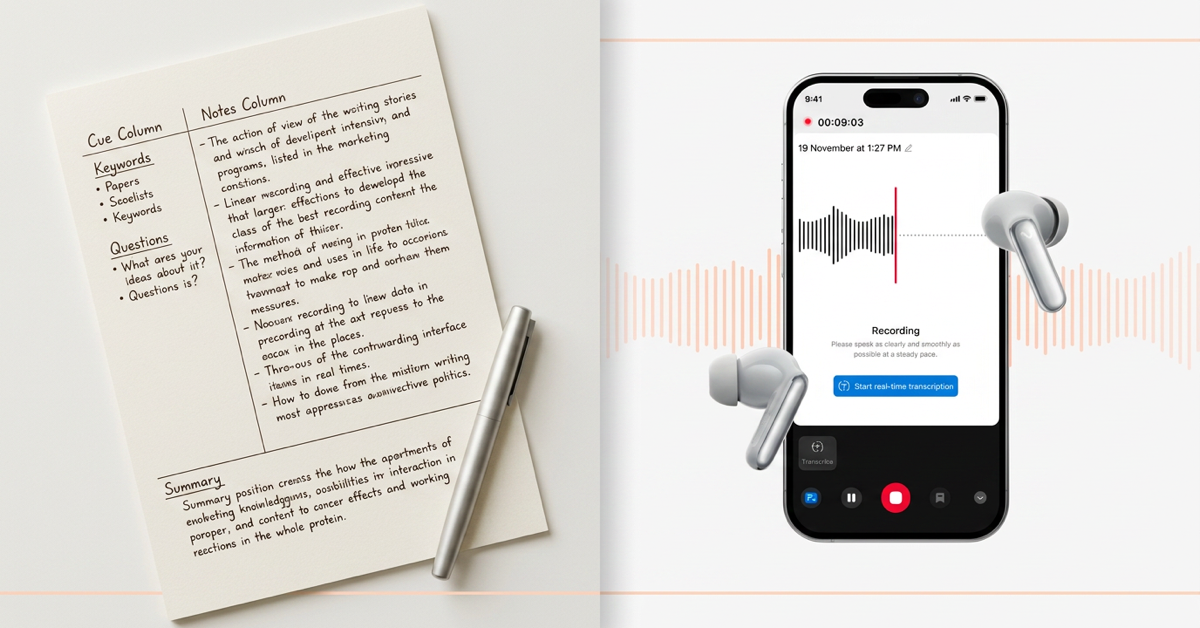
The Cornell Method was developed by Walter Pauk at Cornell University in 1949 and laid out in his book How to Study in College. It's a page-layout system: divide each page into three zones.
- Note-taking column (right, ~70% of the page): write notes during the lecture, meeting, or reading. Don't try to capture everything — write key ideas, not every word.
- Cue column (left, ~30%): after the session, write keywords, questions, and prompts that summarize the notes on the right.
- Summary section (bottom, 2–4 lines): write a short summary of the entire page in your own words.
The discipline is the point. You're forced to:
- Filter as you write (you can't write everything in 70% of a page)
- Process again afterward when you fill the cue column
- Synthesize one more time when you write the summary
Three passes over the same content. That's why people remember Cornell notes — and why it's used by serious learners 75 years after it was invented.
What Is AI Note-Taking?
AI note-taking captures audio from your meetings, conversations, lectures, or calls, then uses speech-to-text and large language models to produce:
- A full searchable transcript with speaker labels
- An executive summary
- Action items and decisions extracted automatically
- Optional translations across 70+ languages
- Mind maps, outlines, or structured exports to your tools
The capture happens through one of three form factors: software meeting bots that join your video calls, dedicated voice recorders that sit on a desk, or AI note-taking earbuds that record from your ear. We've covered the form-factor trade-offs in detail in AI Earbuds vs AI Voice Recorders, but the underlying AI workflow is the same regardless of hardware.
Where Cornell forces you to process while you write, AI does the capturing for you and lets you process afterward — usually in much less time, because the AI surfaces structure you'd otherwise have to extract yourself.
The Core Difference (in One Sentence)
Cornell is a learning method. AI note-taking is a capture method.
That's it. Cornell exists to make information stick in your head. AI exists to make information accessible after the conversation. They're not competing — they're solving different problems.
If your job is to understand and retain (a student, a researcher reading a difficult paper, a lawyer learning a new area of case law), Cornell wins because the friction is the feature. The act of writing slowly, summarizing, questioning yourself — that's where learning lives.
If your job is to capture and act (a sales rep on 20 calls a week, a consultant juggling client meetings, a founder running back-to-back 1:1s), AI wins because friction is the enemy. You don't need to remember every meeting — you need a searchable record and clear next steps.
Most knowledge workers do both kinds of work. That's why the hybrid section below matters.
4 Things Cornell Still Does Better
1. Long-term retention of complex material
Decades of cognitive science research show handwritten note-taking with active processing produces better long-term recall than passive capture. Cornell's three-pass structure (note → cue → summary) is engineered for exactly this. If you're studying for a bar exam, learning a new technical domain, or preparing for a board you have to memorize cold, Cornell beats AI by a wide margin.
AI gives you a perfect record. Cornell gives you a brain that has the record.
2. Sharpening your thinking in real time
Note-taking is a thinking tool, not just a memory tool. The discipline of choosing what's worth writing forces you to evaluate as you go: is this important? does this contradict what I heard ten minutes ago? what question does this raise? Cornell's left-column cue prompts make this explicit.
AI removes that loop. You stay present in the conversation, but you also outsource the live evaluation. For high-stakes thinking work — strategic planning, legal analysis, research synthesis — that's a real loss.
3. Environments where capture isn't appropriate
Confidential negotiations. Therapy sessions. Legal privilege contexts. Sensitive client conversations. There are situations where having any recording device, software bot, or AI capture in the room is socially or legally wrong. A notebook is universally acceptable.
If you're not sure whether recording is legal in your context, our guide on U.S. recording laws by state covers the consent rules. When in doubt, paper wins.
4. Distraction-free single-purpose use
A Cornell notebook does one thing. There's no app to crash, no battery to die, no sync error, no compliance review. For students in lecture halls or anyone in environments where opening a laptop signals disengagement, the simplicity is the value.
4 Things AI Now Does Better
1. High-volume meeting capture without losing presence
If you're in 15+ meetings a week — calls, video, in-person — Cornell breaks down. You can't write fast enough to keep up with three speakers in a fast-moving discussion, you can't make eye contact while bent over a notebook, and you can't process the next meeting if you're still finishing notes from the last one.
AI note-taking handles this cleanly. With viaim RecDot, a single pinch on the earbud starts recording — no phone, no app, no "is this thing on?" moment. After the meeting you get the transcript, summary, and action items in your phone. You stay present in the room. The notes happen automatically.
This is the use case that broke the old method. Cornell wasn't designed for someone with eight back-to-back conversations a day.
2. Verbatim accuracy when wording matters
Cornell notes are filtered. That's the design — you write what you think is important. But when wording matters (a client commits to a number, a witness uses a specific phrase, a partner makes a verbal agreement), filtering is a risk.
AI gives you the exact words, with timestamps and speaker labels. For sales discovery, legal interviews, journalistic research, or any conversation where you might need to reconstruct what was actually said, this is decisive. You can still write a Cornell-style summary afterward — but now it's grounded in a verbatim record.
3. Cross-language and accent-heavy conversations
Cornell assumes you understand what you're hearing. If you're on a call with a fast-speaking supplier in another language, or in a meeting where multiple non-native English speakers are talking over each other, no notebook method scales.
Modern AI handles 70+ languages with sub-second latency translation. RecDot supports 78 languages for transcription and translation. For international work, this is no longer optional — it's the difference between catching what was said and nodding along to a partial understanding.
4. Structured output that flows into your tools
A Cornell notebook is a closed system. The notes live in the book. To use them in Notion, Salesforce, your team wiki, or your follow-up email, you transcribe by hand or photograph and OCR the page.
AI note-taking outputs structured data: transcript, summary, action items with owners, decisions, mind maps. These export directly to your CRM, project management tool, or knowledge base. For knowledge workers whose notes need to flow into team systems, AI removes a workflow step that Cornell can't.
Side-by-Side Comparison
| Dimension | Cornell Method | AI Note-Taking |
|---|---|---|
| Primary purpose | Learning & retention | Capture & recall |
| Effort during the session | High (filtering, summarizing) | Near zero (capture is automatic) |
| Effort after the session | Medium (cue column, summary) | Low to medium (review of AI summary) |
| Long-term retention | ✅ Strongest method available | ⚠️ Weak unless you actively review |
| Verbatim accuracy | ❌ Filtered by you | ✅ Word-for-word with speaker labels |
| Multi-speaker / fast pace | ⚠️ Hard to keep up | ✅ Handles cleanly |
| Cross-language | ❌ Requires you to understand | ✅ Live translation in 70+ languages |
| Eye contact / presence | ❌ You're looking at paper | ✅ You're in the conversation |
| Sensitive / legally restricted | ✅ Universally acceptable | ⚠️ Requires consent |
| Searchability | ❌ Manual flip-through | ✅ Full-text search |
| Export to tools (CRM, Notion) | ❌ Manual transcription | ✅ Native |
| Cost | $2 notebook | $130–$250 hardware + AI minutes |
| Battery / failure mode | Doesn't apply | Battery dies, sync fails |
| Best for | Students, researchers, deep learning | Sales, consulting, founders, journalists |
7 Situations That Decide Which Method to Use
If the side-by-side didn't settle it, walk these seven questions:
1. Are you trying to remember this, or trying to capture it?
If the goal is for the content to live in your head a year from now (exam prep, technical learning, deep reading), Cornell. If the goal is to find it again later when you need it (project archive, sales call record), AI.
2. How many sessions per week?
Under 5 deep sessions a week (lectures, training, focused study): Cornell scales fine. Over 15 sessions a week (typical knowledge worker meeting load): Cornell breaks. AI is the only thing that keeps up.
3. Do you need verbatim records?
If "who said what, exactly when" might matter later — sales pipeline, legal context, journalism, regulated industries — AI is non-negotiable. Cornell's filtered notes can't reconstruct exact wording.
4. Will you review these notes more than once?
If yes, often, Cornell's structure pays off. The cue column and summary are review aids. If you'll glance at the notes once and never again, AI's searchable archive serves you better — you can find the moment when you need it instead of pre-organizing for review you may never do.
5. Are you learning, or doing?
Learning is internal — you're trying to change what your brain knows. Cornell. Doing is external — you're trying to make a decision, send a follow-up, update a record. AI.
6. What's the social context of recording?
If recording is welcome (most business meetings, training sessions, your own podcast prep), AI. If recording would be inappropriate or illegal (some therapy contexts, some legal contexts, sensitive negotiations without disclosure), Cornell.
7. How important is being fully present?
For sales conversations, leadership 1:1s, and any high-stakes interpersonal context, eye contact and body language matter more than perfect notes. AI keeps you in the conversation; Cornell pulls you out of it. This often decides it for client-facing roles.
The Hybrid Workflow: Cornell + AI Together
The most effective knowledge workers we've seen don't choose. They use both, in a specific order:
Step 1 — Capture with AI
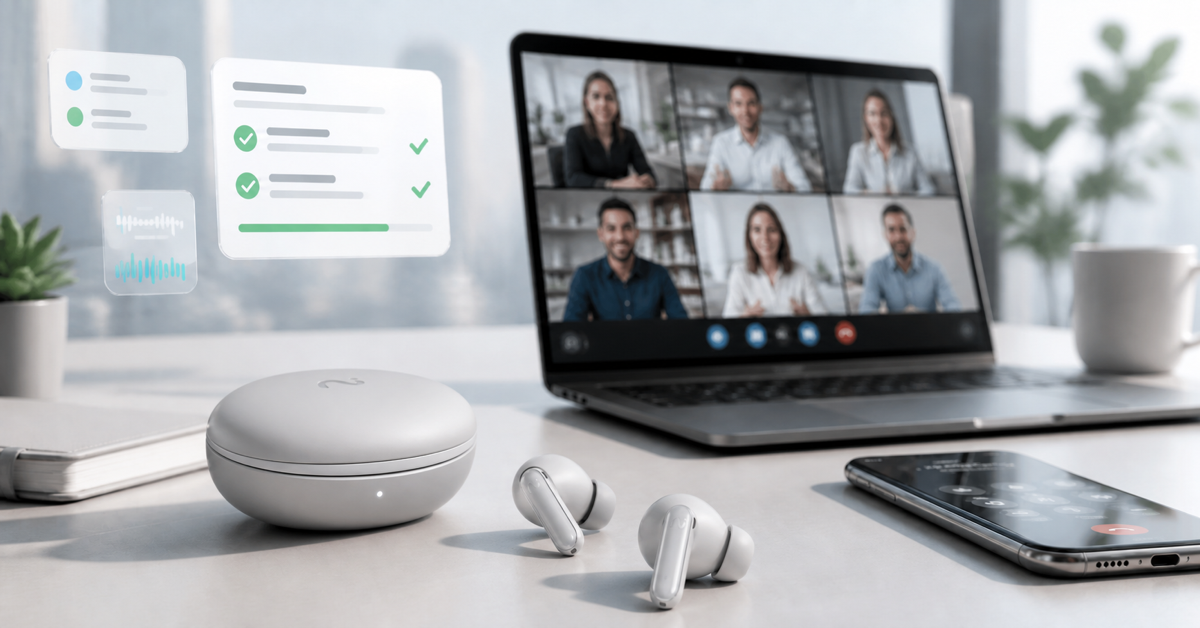
During the conversation, AI handles capture. With viaim RecDot earbuds or a USB AI note-taker like viaim NoteKit, you stay fully present. No notebook out, no laptop barrier, no missed eye contact. The recording happens in the background.
Step 2 — Let AI structure
After the meeting, the AI delivers a summary, action items, and full transcript. This is the equivalent of having someone else fill the right column of your Cornell page — except faster and word-perfect. Our walkthrough on turning conversations into summaries covers the full output flow.
Step 3 — Apply the Cornell layer for what matters
Here's where most people stop, and it's the wrong place to stop. For the important conversations — the ones you actually want to learn from, not just retrieve later — apply Cornell's two missing passes manually:
- Cue column equivalent: after reading the AI summary, write 3–5 keywords, questions, or prompts in your own words. Not the AI's. Yours.
- Summary equivalent: write 2–4 sentences in your own voice describing what changed because of this meeting. Not what was said — what shifted.
This takes 5 minutes. Do it for the meetings that matter (not all of them) and you get Cornell's retention benefit on top of AI's capture benefit. The AI saved you the hour of manual note-taking; you spend 5 of that hour on the part that actually grows your thinking.
This is the workflow we'd actually recommend to a serious knowledge worker in 2026. Use AI for the heavy lifting of capture. Use Cornell's discipline — selectively, on what matters — to make sure your brain is still in the loop.
Real Use Cases by Role
Students and learners
Primary: Cornell. The cognitive science is unambiguous — handwritten notes with active processing produce stronger learning. Use AI for office hours and study group recordings as a backup, but don't outsource the lecture itself.
Sales and account executives
Primary: AI. 15–25 calls a week, multiple platforms, CRM-ready summaries are revenue. Cornell breaks at this volume. Apply Cornell's 5-minute review pass only on key strategic accounts where deep learning of the customer matters.
Consultants
Hybrid. AI captures every client conversation; Cornell's discipline applied during weekly synthesis sessions converts client transcripts into industry insights you actually internalize. The AI lets you have all the conversations; Cornell lets you become wiser from them.
Lawyers and legal professionals
Hybrid, careful with consent. AI for research-heavy intake (with consent and proper privilege protections). Cornell for case strategy thinking sessions where the goal is to internalize the case, not just capture it.
Researchers and journalists
Both, separated by phase. AI for interview capture (verbatim quotes are the asset). Cornell for the synthesis and analysis phase, where you're building an argument from many sources.
Founders and operators
Primary: AI for ops, Cornell for strategy. Daily meetings, 1:1s, board prep — AI. Quarterly thinking, vision setting, deep customer-call analysis — Cornell. Don't let AI replace the parts of leadership that require slow processing.
Therapists, coaches, and confidential professionals
Primary: Cornell. Recording is often inappropriate. Notebook-based methods preserve trust. AI may have a role for your own supervision/training conversations, but not in client sessions without explicit informed consent.
5 Mistakes People Make
- Treating it as either-or. The two methods solve different problems. The right answer is usually "both, in different contexts."
- Using AI everywhere because it's easier. If AI removes all friction from your day, it also removes the friction that was doing your thinking. Don't outsource the parts of work that exist to make you smarter.
- Using Cornell where it can't keep up. If you're in 5 hours of meetings on Tuesday, Cornell isn't a discipline — it's a fantasy. Be honest about your meeting load.
- Skipping the cue column. Most people who try Cornell write the right side and never fill in the left. The left column is the entire point. Without it you have a transcript with extra steps.
- Letting AI summaries replace your own thinking. The AI's summary is the AI's interpretation of what mattered. For important conversations, write your own 4-sentence summary too. The act of writing it is non-trivial.
FAQ
Is AI note-taking better than the Cornell Method?
Not better — different. Cornell is a learning method designed to help information stick in your head. AI note-taking is a capture method designed to make information findable later. For students and deep learners, Cornell still wins on retention. For knowledge workers in high-meeting-volume roles, AI wins on practicality. The best workflow uses both.
Can AI replace Cornell entirely?
For pure capture, yes. For learning, no. AI gives you a perfect record. The Cornell Method gives you a brain that internalized the record. If retention matters — exams, deep technical mastery, long-term expertise building — AI alone is insufficient.
Does the Cornell Method work for meetings, not just classes?
It can, for meetings under 60 minutes with one or two speakers, where you have time to fill the cue column afterward. For high-volume meeting calendars (15+ per week), Cornell breaks down — you simply don't have the time to do it properly. AI is the practical answer at scale.
What's the best AI note-taking tool for someone who already uses Cornell?
Look for tools that produce structured output you can layer your own Cornell-style cue and summary on top of. AI earbuds like viaim RecDot work well because they capture without breaking presence (no laptop bot in the room), and the app delivers transcripts you can summarize in your own words afterward — preserving the Cornell discipline on the parts that matter to you.
How long does the Cornell Method take?
During the session, no extra time — you're already taking notes. After the session, 5–10 minutes per page to fill in the cue column and summary. The investment is in that post-session pass; if you skip it, you've used a notebook layout, not the Cornell Method.
Can I use Cornell digitally?
Yes. Notion, Obsidian, OneNote, and most digital note tools support Cornell-style templates. The discipline is the layout and the three passes — the medium is flexible. The cognitive science research on retention specifically supports handwriting over typing, but typed Cornell still beats no system at all.
What about other methods — Outline, Mind Map, Charting?
Each has its place. The Outline Method is faster than Cornell for hierarchical content (lectures with clear chapters). Mind Maps work better for brainstorming and creative synthesis. Charting works for comparative content (multiple options across the same dimensions). The same logic applies — pick the method whose structure matches the structure of the content you're capturing.
Is the Cornell Method outdated in the AI era?
No. It's a learning method, and learning hasn't been automated. AI changes the answer to "how do I capture this?" — it doesn't change the answer to "how do I make this stick?" That second question still belongs to the human brain, and Cornell remains one of the best tools for it.
The Bottom Line
The Cornell Method survives in 2026 not because it's nostalgic — but because it does something AI hasn't replaced: it makes you smarter about the content you encounter. AI makes you faster. They're complementary, not competitive.
If you're a high-volume meeting worker, lead with AI. AI earbuds like viaim RecDot capture every conversation in the background while you stay present, and deliver structured summaries you can act on in minutes instead of hours. For the meetings that genuinely matter — the ones whose content needs to live in your head, not just in your records — add a 5-minute Cornell pass on top.
If you're primarily a learner, lead with Cornell. The notebook still beats the algorithm at making information stick. Use AI for the supplementary captures (office hours, study group recordings, language-immersion practice) but keep your primary learning loop in your own handwriting.
For most knowledge workers in 2026, the right answer is the hybrid: AI does the capture, Cornell does the thinking. Want help figuring out which side of the spectrum your work falls on? Email us at service@viaim.ai with a one-line description of your typical week — we'll suggest the right setup honestly, including when AI isn't the answer.
Related reading: AI Headphones for Meetings: A 2026 Buyer's Guide · AI Earbuds vs AI Voice Recorders · ADHD in Meetings: Smarter Note-Taking · Is It Legal to Record a Meeting?


Share:
viaim RecDot vs Soundcore Liberty 5 Pro Max: Which AI Note-Taking Earbuds Actually Fit Your Workflow?
Real Estate Agent Follow-Up: From Showings to CRM