
Looking for alternatives to Otter.ai usually means one of two things.
You may like the idea of AI meeting notes, but want a different software workflow. Or you may have realized that your conversations do not only happen inside scheduled Zoom, Google Meet, or Microsoft Teams calls.
That second reason changes the whole comparison.
Otter.ai is a well-known AI meeting assistant for transcription, summaries, and meeting notes. It can be a strong fit when your work happens in scheduled online meetings. But if you need to capture computer-based meetings without relying only on a bot, phone calls, in-person conversations, client meetings, lectures, interviews, or quick ideas on the go, the best Otter.ai alternative may not be another meeting app. It may be a different capture setup.
This guide compares the best Otter.ai alternatives in 2026 across software, desktop hardware, AI voice recorders, and AI earbuds. The goal is not to force every user toward one product. The goal is to help you choose the right type of AI note taker for the conversations you actually need to remember.
Quick Answer: Best Otter.ai Alternatives by Workflow
| Best For | Best Alternative Type | Recommended Product | Why It Fits |
|---|---|---|---|
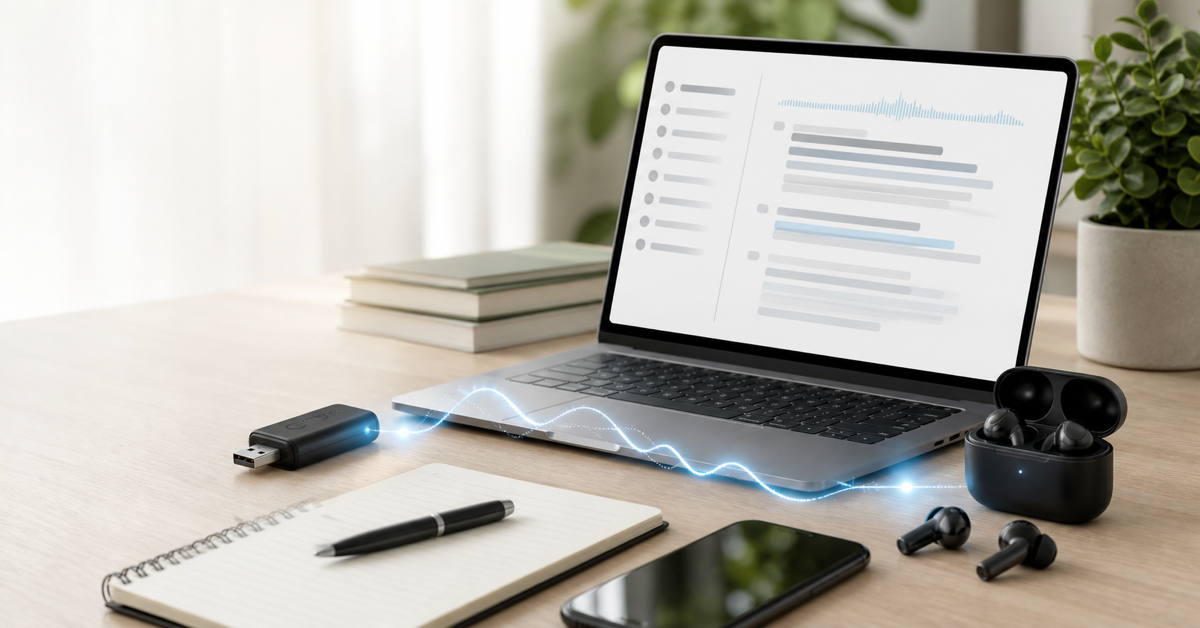
| Computer-based meetings without relying only on a meeting bot | Desktop AI voice recorder | viaim NoteKit | A compact USB-shaped recorder for computer meetings, with one-press recording, AI transcription, translation, summaries, and 600 free transcription minutes per month. |
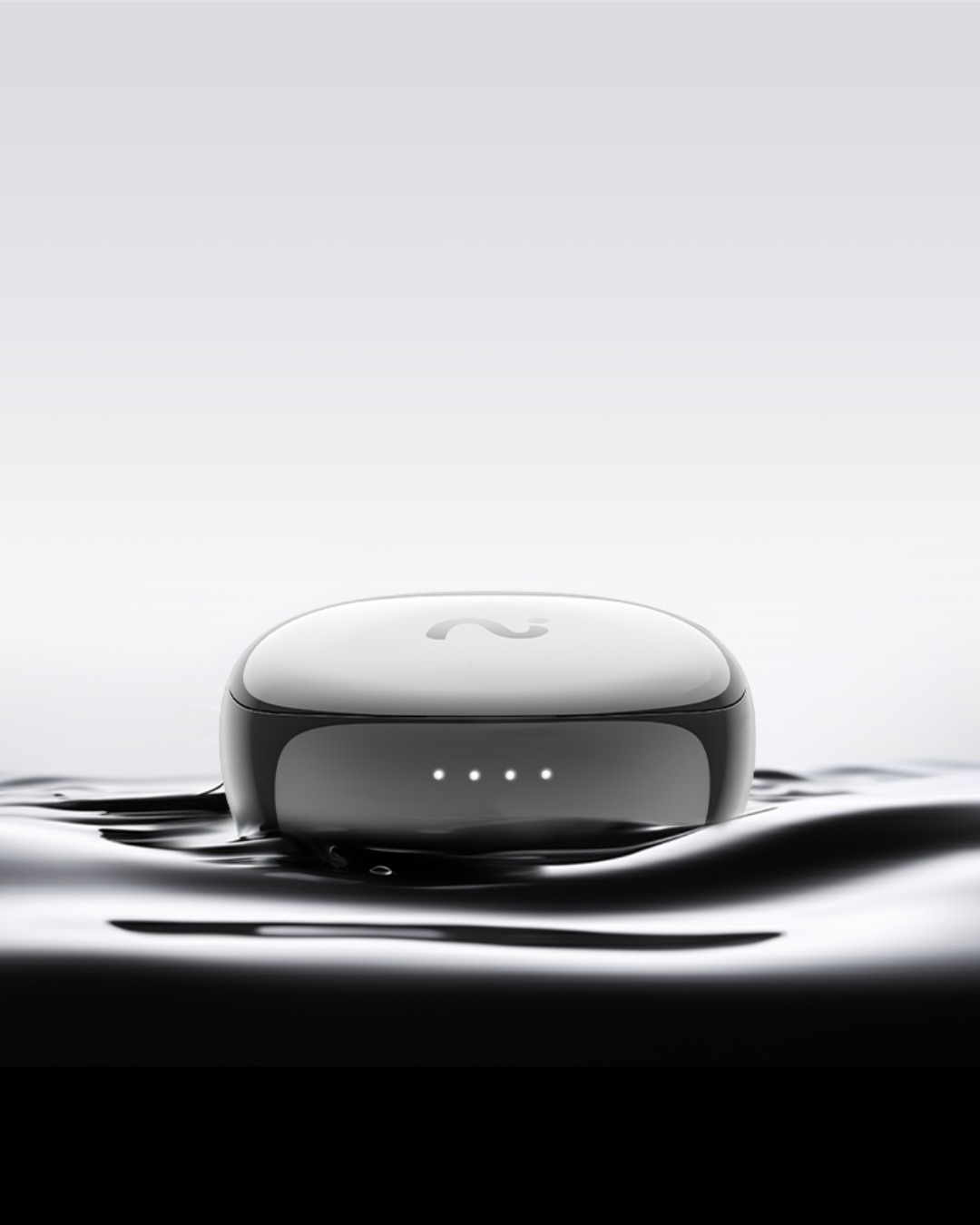
| Calls, in-person conversations, and everyday work | Open-ear AI earbuds | viaim OpenNote | Better when your conversations move between people, places, calls, and quick recaps. |
| Capture-first users who also want everyday earbuds | AI recording earbuds | viaim RecDot | Combines AI recording, transcription, summaries, translation, calls, and everyday audio in one earbud workflow. |
| Seated interviews, lectures, and table meetings | Card-style AI voice recorder | PLAUD Note-style recorder | Useful when a dedicated recorder placed near the conversation feels natural. |
| Fast online meeting notes | Software meeting assistant | Fathom-style tool | Strong for scheduled video meetings and quick post-call notes. |
| Team meeting search and shared follow-up | Team AI meeting library | Fireflies-style tool | Useful when multiple teammates need searchable meeting records. |
| Multilingual transcription and file imports | Transcription-focused app | Notta-style tool | Good when language coverage, imports, and transcript processing are the main job. |
| Lightweight browser-based meeting capture | Browser transcription extension | Tactiq-style tool | Works for users who want simple meeting transcripts without buying hardware. |
| Meeting agendas, notes, and team habits | Meeting management platform | Fellow-style tool | Better when the problem is running better meetings, not only recording them. |
| Sales coaching and revenue workflows | Conversation intelligence platform | Avoma-style tool | Best when sales analytics, CRM workflows, and coaching matter more than personal capture. |
Why Look for an Otter.ai Alternative?
Otter.ai may still be the right choice if your main need is online meeting transcription. But many users start searching for alternatives when the tool no longer matches their daily workflow.
| Reason You Are Looking | What You Probably Need | Best Direction |
|---|---|---|
| You want meeting notes from your computer setup | A simple hardware capture workflow for laptop meetings | viaim NoteKit |
| Your important conversations happen outside scheduled calls | A wearable note-taking workflow | viaim OpenNote or viaim RecDot |
| You do not want a meeting bot in every call | Bot-free or hardware-based capture | NoteKit, AI earbuds, or bot-free meeting software |
| You record interviews, lectures, or table conversations | A dedicated AI voice recorder | Card-style recorder or AI earbuds |
| Your team needs shared search and follow-up | A collaborative meeting knowledge base | Fireflies-style or Fellow-style platform |
| You need sales coaching, deal notes, and CRM workflows | Conversation intelligence | Avoma-style sales platform |
The key is to avoid comparing every product as if they solve the same problem. They do not. Some replace Otter as meeting software. Others replace the assumption that meeting software is enough.
How We Chose These Alternatives
This list is organized by use case, not by a single universal ranking. That makes the comparison more useful because the best alternative depends on what you want Otter.ai to do differently.
- Meeting software alternatives: tools that compete most directly with Otter for scheduled online meetings.
- Hardware alternatives: devices that capture audio from computer meetings, rooms, calls, or real-world conversations.
- Wearable alternatives: earbuds that make AI note-taking available during calls and movement.
- Team workflow alternatives: platforms for meeting search, coaching, agenda habits, or CRM follow-up.
Pricing, feature limits, integrations, recording rules, and supported platforms can change. Always check the current product pages before choosing.
1. viaim NoteKit: Best Otter.ai Alternative for Computer-Based Meetings
viaim NoteKit is the clearest viaim alternative to Otter.ai if your main problem is computer-based meetings.
Instead of relying only on a software assistant, NoteKit gives you a small USB-shaped AI voice recorder designed for laptop and desktop meeting workflows. It is built for people who want a physical capture layer for computer meetings, online calls, and desk-based work.
| NoteKit Feature | Why It Matters as an Otter Alternative |
|---|---|
| Compact USB-shaped form factor | Fits naturally into a computer meeting setup without feeling like another large device. |
| One-press recording | Useful when you want to start capture quickly instead of managing another meeting workflow. |
| Wide-range capture up to 5m | Helpful for desk, small room, and computer-based conversations. |
| Works with major meeting apps | Fits Zoom, Google Meet, Teams, and similar online meeting workflows. |
| AI transcription, translation, and summaries | Turns captured meetings into notes, key points, and to-dos. |
| 600 free transcription minutes per month | Gives many users a useful starting allowance before upgrading. |
Choose NoteKit if: your meetings happen mostly from a laptop or desktop, and you want a compact hardware alternative to a software-only meeting assistant.
Skip NoteKit if: your important conversations mostly happen while walking, traveling, or meeting clients away from your computer. In that case, AI earbuds are usually a better fit.
2. viaim OpenNote: Best for Conversations Outside the Meeting Link
viaim OpenNote is for the part of work Otter.ai often does not naturally cover: real-world conversations across the day.
Think of Realtors after property showings, financial advisors after client meetings, consultants moving between calls and workshops, managers capturing quick decisions, or salespeople following up after informal conversations. These moments are not always scheduled. They may not have a meeting bot. They may happen while you are moving.
OpenNote's open-ear design matters here because the job is not only recording. The job is staying present in the room while preserving the details you need later.
| Best For | Why OpenNote Fits |
|---|---|
| Client-facing professionals | Open-ear awareness helps you stay connected to people and surroundings. |
| All-day work | Designed around comfort for long days, not only single meetings. |
| Phone calls and quick recaps | Works closer to the way conversations actually happen across a workday. |
| Follow-up quality | AI notes can help convert spoken context into summaries, tasks, and searchable memory. |
Choose OpenNote if: your Otter.ai alternative needs to cover in-person conversations, calls, and mobile work, not just online meetings.
3. viaim RecDot: Best for Calls, Travel, and Capture-First Earbud Users
viaim RecDot is the stronger viaim choice when you want a more capture-focused earbud experience.
It combines AI recording, transcription in 78 languages, summaries, translation support, calls, and everyday audio in one wearable device. It is especially relevant for people who switch between phone calls, online meetings, travel, customer conversations, and private voice notes.
| Choose RecDot When... | Choose OpenNote When... |
|---|---|
| You want a premium in-ear earbud experience. | You want open-ear awareness for all-day conversations. |
| You are call-heavy and capture-heavy. | You are client-facing and movement-heavy. |
| You want earbuds, recording, and audio in one compact product. | You want comfort and presence to come first. |
Choose RecDot if: you want an Otter.ai alternative that follows your calls and conversations through the day instead of staying inside your meeting calendar.
4. PLAUD Note-Style Recorder: Best Dedicated AI Voice Recorder Alternative
A PLAUD Note-style recorder is a strong alternative if your issue with Otter is that software alone does not cover physical spaces well enough.
Dedicated AI voice recorders are useful for lectures, interviews, seated client meetings, and table conversations. The product logic is simple: place a recorder near the conversation, capture audio, and turn it into notes afterward.
The tradeoff is that it is another device. You need to carry it, place it, charge it, and remember to use it. For stationary recording, that can be fine. For mobile calls and everyday conversations, AI earbuds or a compact computer recorder may fit better.
5. Fathom-Style Tool: Best for Fast Online Meeting Notes
Fathom-style AI notetakers are closest to Otter.ai when the core job is scheduled video meetings. They are built around joining or capturing online meetings, generating summaries, highlighting important moments, and helping users follow up quickly.
This category is a good choice if you work mostly in supported meeting platforms and do not need a hardware capture layer.
Choose this category if: your work is remote-first and your conversations live inside video meetings.
Choose viaim instead if: the conversations you miss happen outside the meeting link.
6. Fireflies-Style Tool: Best for Team Meeting Search
Fireflies-style tools are useful when a meeting becomes part of team knowledge. The value is not only one transcript, but a searchable library of discussions, decisions, follow-ups, and recurring meeting context.
This category makes sense for teams that want shared meeting memory. It is less ideal for individual professionals who need to capture calls, client conversations, or offline notes while moving through the day.
7. Notta-Style Tool: Best for Transcription and Imports
Notta-style transcription tools are useful when the transcript itself is the main asset. If you regularly import audio or video files, work across languages, or need transcript processing more than meeting workflow, this category can make sense.
The limitation is similar to other software-first tools: the capture environment still matters. If you need a physical capture path for rooms, calls, or movement, hardware may be a better fit.
8. Tactiq-Style Tool: Best Lightweight Browser Alternative
A Tactiq-style browser tool is useful if you want a simpler, lower-friction way to capture meeting transcripts from supported browser-based meetings.
This is a good path for users who do not want new hardware and do not need a full meeting management platform. It is less useful for phone calls, in-person conversations, interviews, and real-world capture.
9. Fellow-Style Tool: Best for Meeting Management, Not Just Transcription
Fellow-style tools are strongest when the problem is meeting discipline: agendas, action items, collaboration, recurring notes, and team habits. This is different from simply replacing Otter.ai's transcription workflow.
If your team wants better meetings, Fellow-style software can be a strong alternative. If your issue is that conversations happen outside software meetings, hardware or wearable capture is the more important layer.
10. Avoma-Style Tool: Best for Sales Conversation Intelligence
Avoma-style platforms are better for revenue teams that need coaching, deal context, CRM workflows, and conversation intelligence across sales calls.
This category is powerful, but it may be more system than an individual user needs. It is best for teams that want analytics and sales process support, not just personal meeting notes.
Hardware vs Software: Which Otter.ai Alternative Should You Choose?
| If Your Main Problem Is... | Choose Software | Choose Hardware or Wearables |
|---|---|---|
| Scheduled online meetings | Yes, software meeting assistants are often enough. | Useful if you want bot-free or device-based capture. |
| Computer-based calls | Good if the app supports your workflow. | NoteKit is a strong fit for a compact desk setup. |
| Phone calls and mobile work | Usually weaker. | AI earbuds such as OpenNote or RecDot fit better. |
| In-person conversations | Depends on the microphone and setup. | Wearables or dedicated recorders are usually more practical. |
| Team meeting knowledge | Often the better option. | Hardware may capture, but software may organize team review better. |
Best Alternatives to Otter.ai by User Type
| User | Best Starting Point | Why |
|---|---|---|
| Consultant | OpenNote or RecDot | Consulting work moves between calls, workshops, client meetings, and follow-up. |
| Real estate agent | OpenNote | Open-ear awareness is useful during showings, client conversations, and mobile work. |
| Financial advisor | OpenNote or NoteKit | Client conversations may happen in person, by phone, or from a computer. |
| Enterprise sales rep | RecDot plus sales software if needed | Sales work often combines calls, demos, travel, and CRM follow-up. |
| Remote team member | Fathom, Otter, or Fireflies-style meeting software | If every conversation is online, software remains efficient. |
| Researcher or interviewer | Card-style recorder or RecDot | The right choice depends on whether the conversation is seated or mobile. |
When Otter.ai Is Still a Good Choice
An objective comparison should be clear about this: Otter.ai can still be a good choice.
If your meetings are mostly scheduled, online, and collaborative, and you are happy with a software-first workflow, you may not need hardware. Otter-style meeting notes are especially reasonable when you want transcripts and summaries from predictable meeting platforms.
You should look beyond Otter when your work is less predictable: calls, in-person meetings, client conversations, travel, interviews, lectures, field work, and quick thoughts that need to be captured before they disappear.
Buying Checklist
- Where do my conversations happen? Online, computer-based, phone, in-person, seated, or mobile?
- Do I want another meeting bot? If not, consider hardware, earbuds, or bot-free tools.
- Do I need a physical capture layer? If yes, look at NoteKit, AI earbuds, or card-style recorders.
- Do I need everyday audio too? If yes, AI earbuds make more sense than a standalone recorder.
- Do I mostly work at a computer? If yes, NoteKit is the cleanest viaim option.
- Do I need team search and sharing? If yes, software meeting libraries may be stronger.
- What does the free allowance include? viaim products include 600 free transcription minutes per month, which is useful for testing your real usage.
- Can I follow recording consent rules? Always follow local laws, company policy, and client expectations.
FAQ
What is the best Otter.ai alternative?
The best alternative depends on your workflow. For computer-based meetings, viaim NoteKit is a strong hardware alternative. For calls and conversations outside scheduled meetings, OpenNote or RecDot may fit better. For online-only meetings, software tools such as Fathom-style or Fireflies-style platforms may be closer replacements.
Is there a hardware alternative to Otter.ai?
Yes. Hardware alternatives include compact computer meeting devices such as NoteKit, AI earbuds such as OpenNote and RecDot, and card-style AI voice recorders for seated conversations.
Are AI earbuds a good Otter.ai alternative?
AI earbuds are a good alternative when your conversations happen across calls, movement, and real-world work. They are less about replacing one meeting bot and more about capturing conversations that meeting bots often miss.
Is NoteKit software or hardware?
NoteKit is a compact USB-shaped AI note-taking device for computer-based meetings. It is designed to support recording, transcription, translation, summaries, and online meeting workflows.
Does viaim include free transcription minutes?
Yes. viaim products include 600 transcription minutes per month, with upgrade options for heavier usage.
Should I choose software or hardware?
Choose software if your conversations are mostly scheduled online meetings. Choose hardware or wearables if you need to capture desk meetings, phone calls, in-person conversations, interviews, lectures, or mobile work.
Bottom Line
The strongest Otter.ai alternative is not always another meeting app. If your work lives inside scheduled video meetings, software alternatives can make sense. But if your real problem is capture across computers, calls, and in-person conversations, hardware changes the equation.
Start with viaim NoteKit if you want a compact hardware alternative for computer-based meetings. Choose viaim OpenNote if your conversations happen across the day and you need open-ear awareness. Choose viaim RecDot if you want a capture-first earbud for calls, meetings, and everyday audio.


Share:
Best AI Note Taker for Everyday Conversations
Best CRM for Real Estate: 7 Options Compared for Realtors in 2026