
📋 Table of Contents
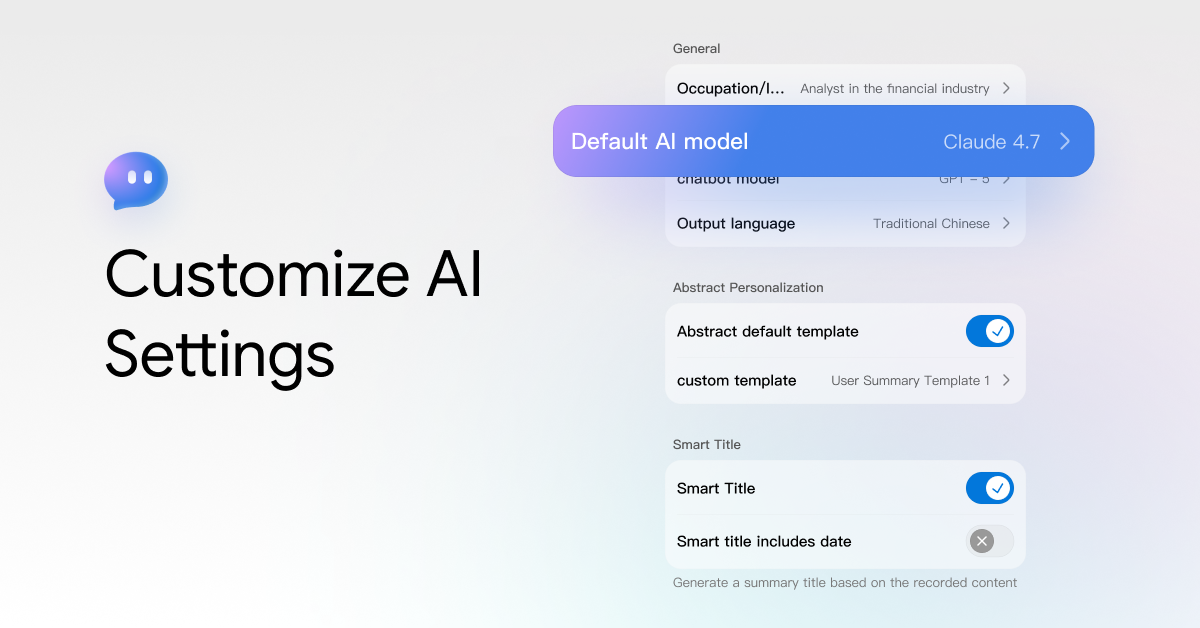
viaim AI-generated related content supports personalized customization. You can use AI settings to make the generated content more in line with your needs.
AI Settings
Open the App, go to Me - AI settings

Occupation
Clearly describe or directly fill in your occupation or identity to allow viaim AI to serve you more accurately; after filling in, click the 'Save' button.

Default AI Model
You can select the AI model you want to use to generate summaries, mind maps, and other content.
You can use GPT-5-mini, Gemeni 3 Flash, and Claude Haiku 4.5 for free.
If you subscribe to Pro/Ultra, you will also have additional access to GPT-5.2, Gemini 3 Pro and Claude sonnet 4.5.

Chatbot Model
You can ask questions about current or historical records.
The system has a built-in Vitana Meeting Assistant, with which you can interact to get the information you need.

You may configure the Chatbot model to specify the AI model used by the meeting assistant.
You can use GPT-5-mini, Gemeni 3 Flash, and Claude Haiku 4.5 for free.
If you subscribe to Pro/Ultra, you will also have additional access to GPT-5.2, Gemini 3 Pro and Claude sonnet 4.5.

Output Language
You can change the output language here under Me > AI Settings > Output Language.

Smart Tiltles
You can enable the Smart Title feature under Me > AI Settings > Other.
When this feature is enabled, a title will be automatically generated based on the content of your record after you finish documenting.
If you need to modify the title, click the "Edit" button on the right side of the title to make changes.



Share:
How to Manage Recordings and Transcripts in viaim