
PLAUD helped popularize a simple idea: capture a conversation now, then let AI turn it into transcripts, summaries, and actionable notes later.
But searching for a PLAUD alternative usually means you want the same outcome with a different workflow.
Maybe you do not want to carry another recorder. Maybe you want something that also handles everyday calls and audio. Maybe most of your meetings happen online. Or perhaps you want a wearable device that is easier to keep ready when an unexpected conversation starts.
That is why the best PLAUD alternative is not necessarily the recorder with the longest battery life or the biggest feature list.
It is the tool that fits where your conversations actually happen.
In this guide, we compare six alternatives across AI note-taking earbuds, phone-back recorders, wearable recorders, Bluetooth-earphone recording devices, and software meeting assistants.
Quick Answer: What Are the Best PLAUD Alternatives?
| Best For | Our Pick | Why It Fits |
|---|---|---|
| AI recorder + everyday earbuds | viaim RecDot | Combines earbuds, calls, recording, transcription, summaries, translation, and everyday audio in one wearable device |
| Value-focused phone-back recording | Pocket / HeyPocket | Magnetic recorder with onboard storage, phone-call capture, and a generous transcription model |
| Wearable daily conversation capture | Fieldy 3 | Pendant/watch-style wearable designed around real-world conversations and searchable memory |
| Recording through your existing Bluetooth earphones | HiDock P1 | Adds call and room recording while allowing you to keep your existing earphones |
| Software-only online meetings | Otter.ai | Mature transcription and meeting-note workflow for Zoom, Google Meet, and Microsoft Teams |
| Team meeting intelligence | Fireflies.ai / Fathom | Strong options for summaries, search, CRM workflows, and scheduled online meetings |
Our short take: If your biggest frustration with PLAUD is carrying a dedicated recorder in addition to the earbuds you already use, viaim RecDot is one of the most distinct alternatives because the recorder is built into the earbuds themselves.
If you specifically want a phone-back recorder, Pocket may feel more familiar. If nearly every important conversation already happens on Zoom, Meet, or Teams, software such as Otter, Fireflies, or Fathom may be all you need.
Why Look for a PLAUD Alternative?
PLAUD is built around a dedicated AI recording device. For many users, that workflow works well.
For others, the friction is not the AI. It is the form factor.
You may want an alternative if:
- You do not want to carry and charge another dedicated recorder.
- You already wear earbuds for calls, meetings, commuting, and focused work.
- Your day moves between phone calls, online meetings, and in-person conversations.
- You want recording to be available when an unexpected conversation starts.
- You want live transcription or translation in addition to post-meeting summaries.
- You would rather avoid having a meeting bot join every online call.
- You only need software meeting notes and do not need recording hardware at all.
The important question is therefore not simply:
“Which device has more features?”
It is:
“Which recording workflow creates the least friction in my day?”
PLAUD vs the Best Alternatives at a Glance
PLAUD remains a useful benchmark for understanding this category, especially if you prefer a dedicated card-style AI recorder.
The alternatives below solve the same broader problem—capturing conversations and turning them into usable notes—but they do it in different ways.
| Product | Form Factor | Phone Calls | In-Person Conversations | Online Meetings | Everyday Audio | Best For |
|---|---|---|---|---|---|---|
| PLAUD Note | Card-style recorder | Yes | Yes | Yes | No | Dedicated AI recording |
| viaim RecDot | AI earbuds | Yes | Yes | Yes | Yes | Professionals with mixed workdays |
| Phone-back recorder | Yes | Yes | Limited workflow | No | Value-focused dedicated recording | |
| Fieldy 3 | Wearable | Check current workflow | Yes | Yes | No | Daily real-world conversations |
| HiDock P1 | External Bluetooth recorder | Yes | Yes | Yes | No | People keeping existing earphones |
| Otter.ai | Software | Online calls | No | Yes | No | Scheduled online meetings |
| Fireflies / Fathom | Software | Online calls | No | Yes | No | Team meeting intelligence |
Features, pricing, transcription limits, and supported recording workflows can change. Check each vendor's current product and plan information before purchasing.
1. viaim RecDot — Best PLAUD Alternative for AI Note-Taking Earbuds
Best for: Professionals who want recording and AI notes built into something they already use for calls and everyday audio.
viaim RecDot approaches AI recording differently from a traditional recorder card.
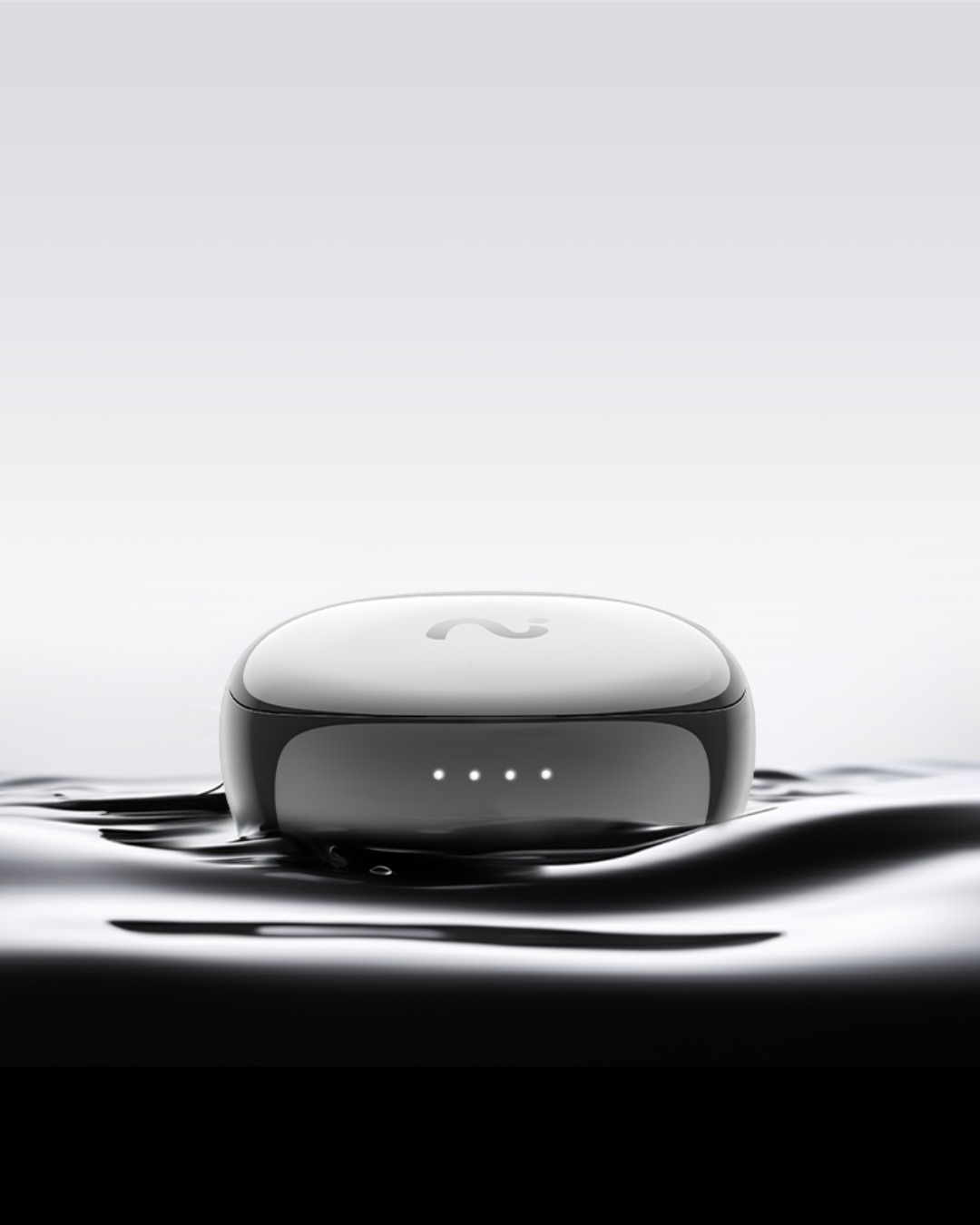
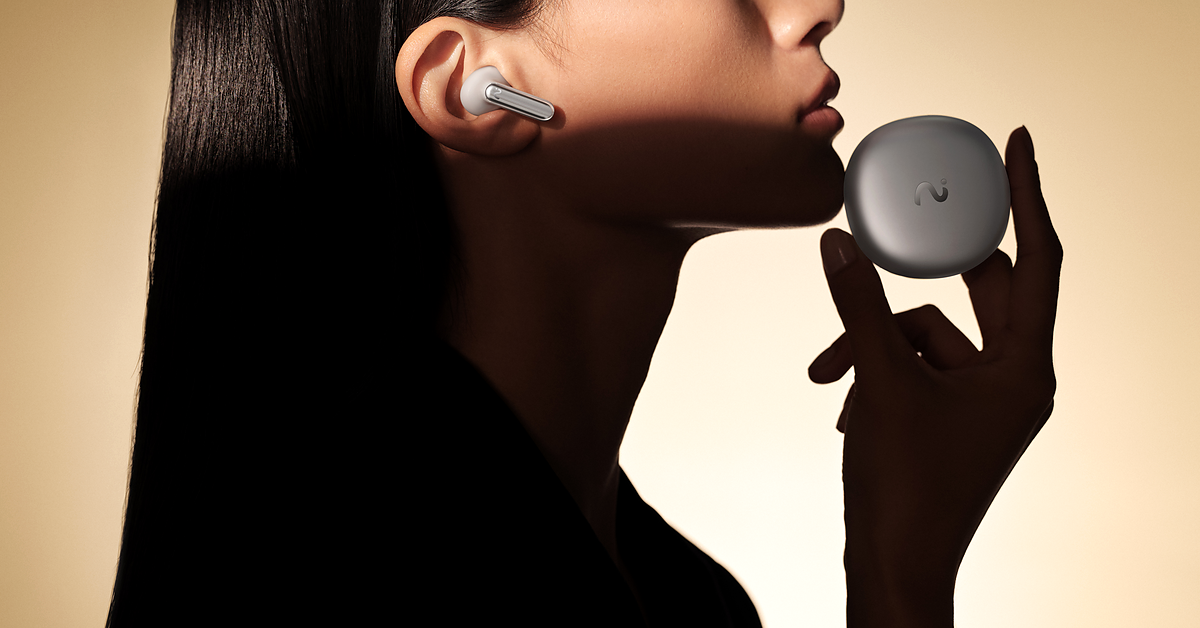
It is a pair of AI note-taking earbuds that can function as normal wireless earbuds for calls, listening, and daily work while also helping capture conversations and turn them into structured notes.
The distinction matters because many professionals already wear earbuds throughout the workday.
Instead of remembering to carry:
earbuds + recorder
RecDot turns the earbuds themselves into the capture device.
Why RecDot Feels Different
Consider a typical mixed workday:
A sales representative moves from a client call to a product demo and then discusses the next steps with a colleague.
A founder finishes an investor call and captures a quick idea while walking to the next meeting.
A consultant moves between a client workshop, an online meeting, and follow-up calls.
A researcher records an interview and later reviews important quotes and action points.
In each case, recording is not a standalone activity. It happens between everything else you are already doing.
That is where RecDot's form factor becomes meaningful.
Key RecDot Features
| RecDot Feature | Why It Matters |
|---|---|
| AI note-taking earbuds | One device for everyday listening, calls, recording, and AI notes |
| FlashRecord from earbuds or charging case | Start capturing an important conversation or idea without opening a complicated recording workflow |
| Call, meeting, and live conversation recording | Useful for professionals who move across different conversation formats |
| AI transcription in 78 languages | Supports international teams, interviews, travel, and multilingual work |
| AI summaries, key takeaways, tasks, and mind maps | Turns raw recordings into information you can act on |
| Real-time transcription and translation support | Useful for multilingual conversations and cross-border communication |
| Hi-Res audio and ANC | Keeps the device useful even when you are not recording |
| Up to 36 hours total battery life | Designed to remain part of a normal everyday earbud workflow |
| 600 transcription minutes included per month | Gives lighter users a useful starting point before considering a paid plan |
Who Should Choose RecDot?
RecDot makes the most sense if you:
- Already use earbuds frequently during work.
- Move between calls, online meetings, and in-person conversations.
- Want fewer dedicated devices to remember, carry, and charge.
- Need AI summaries and action items after recording.
- Work across multiple languages.
- Want recording to fit into your existing workflow instead of creating a new one.
It is particularly relevant for sales professionals, consultants, founders, managers, journalists, researchers, and other people whose work involves a large number of conversations.
When RecDot May Not Be the Best Fit
RecDot is not the best choice for everyone.
If you dislike wearing earbuds during work, prefer placing a recorder on a table, or specifically want a flat device attached to the back of your phone, a card-style recorder such as Pocket may feel more natural.
That tradeoff is important.
RecDot does not need to beat every dedicated recorder on every specification. Its main advantage is that it changes the recording workflow.
For many users, the better question is not whether RecDot is a better recorder card.
It is whether you need a recorder card at all.
2. Pocket / HeyPocket — Best Value-Focused Phone-Back Recorder
Best for: People who like the PLAUD-style phone-back form factor but want to compare other dedicated recorder options.
Pocket is one of the more direct alternatives for users who still prefer a magnetic recorder attached to their phone.
Its official materials list features including onboard storage, MagSafe-style mounting, phone-call recording, multilingual transcription, and a free transcription offering.
That makes Pocket especially relevant for buyers whose main concerns are:
- Phone-call recording.
- Dedicated hardware.
- Lower entry cost.
- Transcription-plan value.
- Familiar magnetic recorder workflow.
Main Strength
Pocket stays close to the traditional AI recorder experience.
You do not need to change how you think about recording—you simply use another dedicated recorder.
Main Tradeoff
That is also the limitation.
Pocket remains another device that needs to be carried and charged, and more advanced AI functionality may depend on a paid plan.
If you specifically want the phone-back recorder format, Pocket deserves serious consideration.
If your priority is reducing the number of devices in your daily workflow, an AI earbud approach such as RecDot is more differentiated.
3. Fieldy 3 — Best Wearable for Daily Real-World Conversations
Best for: Users who want a wearable conversation recorder that stays with them throughout the day.
Fieldy 3 takes a different wearable approach.
Rather than attaching to a phone or sitting on a desk, it is designed to be worn as a pendant or watch and used for real-world conversation capture.
Its public materials emphasize:
- Real-time transcription.
- Conversation summaries.
- Tasks and reminders.
- Searchable conversation memory.
- Desktop workflows.
- API, webhook, and MCP connectivity.
That makes Fieldy particularly interesting for people whose important conversations happen away from a desk.
Best For
- Coaches.
- Researchers.
- Students.
- Field teams.
- Customer-facing professionals.
- Users who want conversation history to feed into other software workflows.
Main Tradeoff
Fieldy is built primarily around wearable real-world conversation capture rather than being a dedicated phone-call recorder.
If phone calls are your primary use case, compare its current recording workflow carefully with phone-focused hardware and AI earbuds.
4. HiDock P1 — Best If You Want to Keep Your Existing Bluetooth Earphones
Best for: People who already have Bluetooth earphones they like and want to add AI recording around them.
HiDock P1 solves a slightly different problem:
What if you do not want to replace your current earbuds at all?
Its BlueCatch recording workflow is designed to capture audio through Bluetooth earphones.
HiDock lists several recording modes, including:
- Call Mode for two-way calls.
- Room Mode for meetings and interviews.
- Whisper Mode for quick voice ideas.
Its public product information also lists onboard storage and multilingual transcription support.
Main Strength
You can continue using your existing AirPods, headphones, or Bluetooth headset.
Main Tradeoff
You still add another hardware layer.
Your setup effectively becomes:
earphones + HiDock + AI notes
RecDot takes the opposite approach by integrating the recording hardware directly into the earbuds.
Neither workflow is automatically better.
The right option depends on whether keeping your current earphones or carrying fewer devices matters more to you.
5. Otter.ai — Best Software-Only PLAUD Alternative for Online Meetings
Best for: People whose important conversations already happen almost entirely on Zoom, Google Meet, or Microsoft Teams.
Not everyone searching for a PLAUD alternative actually needs hardware.
If nearly all your conversations happen in scheduled video meetings, Otter.ai can be a much simpler answer.
Otter supports features such as:
- Live transcription.
- Speaker identification.
- Meeting summaries.
- AI chat.
- Searchable meeting history.
- Calendar-based meeting workflows.
- Team collaboration.
Its free plan includes a limited number of monthly transcription minutes, with paid tiers increasing meeting lengths, transcription capacity, imports, storage, and team functionality.
Main Strength
For scheduled online meetings, software can remove the need to purchase and charge another device entirely.
Main Tradeoff
Otter is much less natural when conversations move away from scheduled video calls.
Examples include:
- Hallway conversations.
- Customer visits.
- Phone-side calls.
- Interviews in the field.
- Travel.
- Unexpected face-to-face conversations.
- Situations where you do not want a meeting bot involved.
If your working life happens mainly inside your calendar, Otter may be enough.
If conversations happen everywhere, hardware capture becomes more useful.
6. Fireflies.ai and Fathom — Best for Team Meeting Intelligence
Best for: Sales, customer success, recruiting, and other teams that want meeting notes connected to their wider workflow.
Fireflies.ai and Fathom are relevant alternatives because many users searching for AI recorders are not actually looking for a recorder.
They are looking for better outcomes after meetings.
Fireflies.ai
Fireflies focuses strongly on team meeting intelligence, including:
- Meeting transcription.
- AI summaries.
- Action items.
- Meeting search.
- AskFred.
- CRM integrations.
- Workflow automation.
It is particularly relevant for organizations that want conversation data to flow into sales or customer-management systems.
Fathom
Fathom is another strong option for online meeting notes and offers a generous individual workflow.
Its feature set includes:
- Recording and transcription.
- AI summaries.
- Action items.
- Ask Fathom.
- CRM functionality on higher plans.
- Team collaboration.
- Coaching and meeting analytics.
Main Tradeoff
Both tools are strongest when important conversations already happen through supported online meeting workflows.
They are less useful when conversations happen:
- Away from the laptop.
- Outside the calendar.
- In person.
- On the move.
- In situations where a visible meeting bot feels awkward.
How to Choose the Right PLAUD Alternative
The easiest way to narrow the list is to start with your workflow rather than individual product specifications.
1. Where Do Your Important Conversations Happen?
| Your Main Scenario | Best Category |
|---|---|
| Phone calls and mobile client conversations | AI earbuds or phone-focused recorder |
| In-person interviews and field conversations | Wearable recorder, card recorder, or AI earbuds |
| Scheduled Zoom, Meet, and Teams calls | Software meeting assistant |
| Mixed calls, meetings, travel, and everyday audio | AI note-taking earbuds |
| Long lectures or interviews | Dedicated recorder or wearable recorder |
If your working day contains multiple conversation formats, versatility becomes more important than optimizing for one recording situation.
2. Do You Want Fewer Devices or More Specialized Devices?
This is one of the biggest differences between the available options.
A product such as PLAUD Note or Pocket is a specialized recording device.
HiDock allows you to keep your existing earphones but adds a recorder.
RecDot combines the earphones and recorder.
Otter, Fireflies, and Fathom remove the hardware entirely when conversations happen online.
Ask yourself:
Do I want the best dedicated recorder for one task, or do I want recording integrated into something already part of my workday?
3. Compare Total Cost, Not Just Hardware Price
AI recording products increasingly combine hardware with software subscriptions.
Before buying, compare:
- Hardware price.
- Included monthly transcription minutes.
- Free-plan limitations.
- Premium transcription models.
- Translation availability.
- AI chat limits.
- Export options.
- Integrations.
- First-year promotions.
- Subscription cost after the first year.
A recorder that looks cheaper initially may cost more over two or three years depending on how much AI processing you use.
Always check the latest vendor pricing before making your final decision.
4. Do You Need Live Transcription or Translation?
Transcription and translation are not the same thing.
A device may support transcription in many languages but offer limited translation functionality.
For international sales, multilingual meetings, interviews, or travel, check whether the product supports:
- Multilingual transcription.
- Translation.
- Real-time transcription.
- Real-time translation.
- Language switching.
Users who regularly work across languages may benefit more from products built around multilingual workflows rather than basic post-recording transcription.
5. Do You Want a Meeting Bot?
Software meeting assistants can be extremely effective.
But a visible bot joining every call is not ideal in every situation.
This may matter in:
- Customer conversations.
- Interviews.
- Recruiting.
- Sales calls.
- Executive meetings.
- Sensitive internal discussions.
- Legal or confidential contexts.
Hardware recording can provide a more direct capture workflow, but hardware does not remove your responsibility to follow applicable recording laws and organizational policies.
Always obtain consent when required.
6. Think About What Happens After Recording
Recording audio is only the beginning.
A useful AI note-taking system should help turn conversations into something actionable, such as:
- Searchable transcripts.
- Meeting summaries.
- Key decisions.
- Action items.
- Follow-up tasks.
- Important quotes.
- Mind maps.
- Shareable notes.
- Searchable project knowledge.
A product with excellent microphones but a poor post-recording workflow may still create more work than it removes.
Final Verdict: Which PLAUD Alternative Is Best?
There is no single best PLAUD alternative for everyone.
The right choice depends on what you want to change about the PLAUD workflow.
Choose viaim RecDot if you want AI recording and note-taking integrated into earbuds you can also use for calls, listening, meetings, commuting, and daily work.
Choose Pocket if you want a value-focused magnetic phone recorder and prefer the dedicated recorder format.
Choose Fieldy 3 if you want a wearable conversation-memory device for conversations that happen throughout the day.
Choose HiDock P1 if you want to keep using the Bluetooth earphones you already own while adding dedicated recording hardware.
Choose Otter.ai if nearly all your conversations already happen in scheduled online meetings.
Choose Fireflies.ai or Fathom if team meeting intelligence, CRM workflows, and collaboration matter more than owning recording hardware.
For viaim RecDot, the distinction is simple:
It should not be thought of as another recorder card.
Its value is that recording and AI notes become part of something many professionals already wear.
PLAUD asks you to add a dedicated recorder to your workflow.
RecDot asks a different question:
What if the earbuds you already use for work could take the notes too?
For professionals who spend much of their day moving between calls, meetings, ideas, travel, and everyday listening, that can be the more natural alternative.
Frequently Asked Questions
What is the best PLAUD alternative?
The best option depends on your workflow. viaim RecDot is a strong choice if you want AI note-taking earbuds rather than a separate recorder. Pocket is better suited to users who prefer a dedicated card-style recorder. Otter, Fireflies, and Fathom are better choices when nearly all important conversations happen online.
Is viaim RecDot a PLAUD alternative?
Yes, although it belongs to a different hardware category. PLAUD is primarily built around dedicated AI recorders, while RecDot integrates recording, transcription, AI summaries, and translation into wireless earbuds that can also be used for everyday calls and listening.
Is RecDot better than PLAUD Note?
Neither device is better for every user. RecDot is better suited to people who want fewer devices and prefer recording built into earbuds they already wear. PLAUD Note may be more suitable for people who specifically want a slim, dedicated card-style recorder.
What is the best PLAUD alternative for phone calls?
If you prefer dedicated hardware attached to your phone, Pocket and other phone-back recorders are worth comparing. If you already use earbuds for professional calls and want recording integrated into that workflow, RecDot offers a different approach.
Are Otter and Fireflies good PLAUD alternatives?
Yes, if your primary goal is AI meeting notes rather than owning a recording device. They work best for scheduled online meetings and team workflows, but they are less suitable for spontaneous in-person conversations and mobile recording.
Should I choose hardware or software for AI meeting notes?
Choose hardware when important conversations frequently happen away from your laptop, including phone calls, interviews, customer visits, and face-to-face meetings. Software meeting assistants are usually simpler when nearly all conversations already happen through Zoom, Google Meet, or Microsoft Teams.
Can AI earbuds record meetings and calls?
AI recording earbuds such as viaim RecDot are designed to capture different conversation formats, including calls, meetings, live conversations, and voice notes, then process recordings into transcripts, summaries, key points, and action items.
Do I need consent before recording conversations?
Recording laws vary by country, state, industry, and situation. Always follow local law and your organization's policies. For sensitive, professional, or confidential conversations, clearly obtain consent when required.
Sources & Methodology
This guide compares products based on publicly available information from their official product, feature, and pricing pages.
Product claims and plan information should be reviewed regularly because pricing, included transcription minutes, AI features, supported languages, and subscription terms may change over time.
Sources reviewed:
- viaim RecDot official product information
- Pocket / HeyPocket official product and plan information
- Fieldy 3 official product documentation
- HiDock P1 official product information
- Otter.ai official feature and pricing information
- Fireflies.ai official feature and pricing information
- Fathom official feature and pricing information
Last reviewed: August 10, 2026


Share:
How to Take Notes During Sales Calls: An AI Note Taker Workflow
5 Best AI Note Takers for Online Meetings in 2026