
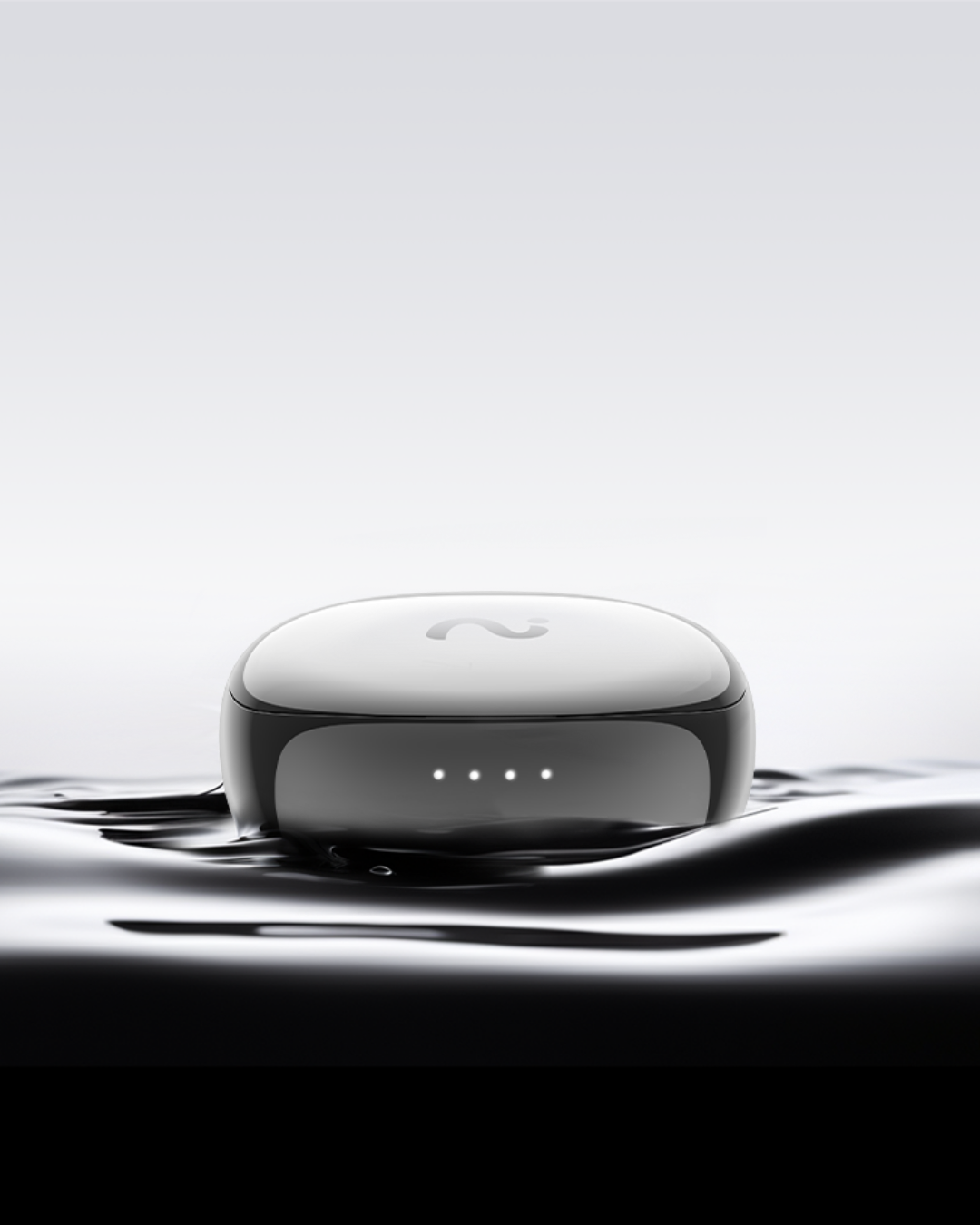
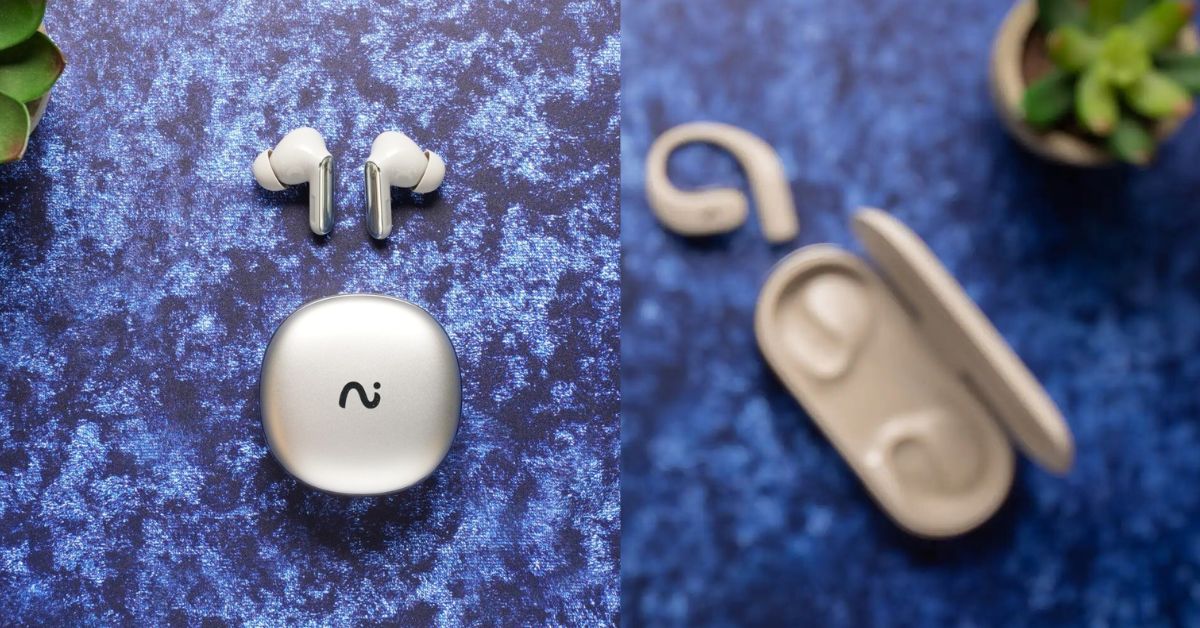
Choose open-ear AI earbuds when hearing your surroundings is part of the work. Choose in-ear AI earbuds when your priority is focused listening, calls, or active noise cancellation. Both can help you capture notes, but they feel different on a long day. For a real estate agent guiding buyers through a home, an open design may be easier to wear through the conversation. For someone buying one pair for music, meetings, and travel, an in-ear fit may be more useful.
Open-ear vs. in-ear AI earbuds at a glance
Start here if you are choosing a wearing style for your workday. If you already know you are choosing between the two viaim models and want the full hardware breakdown, read the RecDot vs. OpenNote model comparison.
Start with what you need to hear while wearing them. That determines which form factor you are likely to keep on long enough to use its recording controls.
| Situation | Start with | Reason to reconsider |
|---|---|---|
| Property tours and floor demos | Open-ear | You spend most of the day listening to remote audio in loud spaces |
| Solo listening and calls | In-ear | You remove sealed earbuds each time someone approaches |
| Back-to-back field visits | Open-ear if you value awareness | Fit with eyewear or headgear gets in the way |
| Buying one pair for work and personal use | In-ear if the recipient already likes that fit | The recipient prefers to leave the ear canal unobstructed |
What to compare before choosing
Compare wearability, listening conditions, recording controls, and what it takes to get a verified note. Wearability includes where the hardware touches your ear and whether it competes with glasses. Listening conditions include the sound you want to hear from your device and the conversations you need to hear around you. Recording controls determine what you must do when a conversation starts unexpectedly. The note workflow determines whether you can find and correct the result later.
Keep listening quality separate from recording quality. A good seal and ANC can help a wearer focus on playback. They do not establish whether a microphone will capture the quieter person across a room. For that, you need to listen back to a test that resembles the conversation you want to capture. Similarly, an open design helps the wearer stay aware of nearby activity. It does not guarantee that a recording will separate several people speaking at once.
Open-ear option: viaim OpenNote
viaim OpenNote fits people who want to keep their ears open to their surroundings during a workday. The device leaves the ear canal unobstructed and lets you start FlashRecord from the earbuds. viaim lists up to 53 hours of total battery life. That is the product's total battery figure, rather than a promise of 53 hours of continuous recording. Its US product page lists the standalone pair at $229.
For a property showing, the benefit of the form factor is straightforward: a buyer can make a remark while walking into the next room, and the agent can keep listening to the buyer and the surroundings. With the required consent, the agent can use a tested recording setup. Another option is to record a private voice recap after the showing. A useful recap includes the room, the client's exact concern in your own words, and one follow-up. Example: “Kitchen. Client asked whether their table fits in the breakfast nook. Measure the usable width before Friday.”
For a live product demonstration, consider open-ear earbuds if you need to hear a prospect next to you and a coworker asking for help from the other side of the table. When the floor is loud, test how clearly the recording preserves the prospect's question. If it doesn't, use a short written note during the demo or a spoken recap afterward in a quieter spot. Keeping the ear canal open can also make it harder to hear quiet playback against nearby noise. Review the notes somewhere quieter if necessary.
Try the fit with the glasses or headgear you actually wear. Notice whether the hardware shifts when you turn your head, and whether you can reach the recording control naturally. OpenNote starts recording from the earbuds. If you specifically want a recording button on the case, RecDot is the model viaim documents with that control.
In-ear option: viaim RecDot
viaim RecDot fits people who want a single pair for personal listening, calls, and occasional note capture. Its in-ear design and active noise cancellation make it a sensible option if you like a sealed fit for music or want to reduce surrounding noise while listening. viaim lists up to 36 hours of total battery life and the same $229 US standalone price. Compare the same bundle and plan when checking prices, since configurations may differ.
RecDot's case button gives you another way to start FlashRecord when you're not wearing the earbuds. That can be useful for a person who takes their earbuds out between meetings but wants to capture a short thought in a quiet space. For a gift recipient who already wears in-ear headphones on the train and takes occasional work calls, this form factor covers more of their existing habits. Start by checking whether they actually like silicone tips and whether their work allows recording or transcription.
The fit is personal. If a seal feels uncomfortable halfway through a call, the recording feature won't make you want to wear it for a full property tour. Likewise, someone who repeatedly pulls out an earbud to speak with customers might get more use from an open-ear design. Do a realistic fit test before choosing, including a few minutes of conversation and quiet playback rather than just listening to a song.
Product and workflow comparison
Use the features below to compare the same two products in your own workflow. Product details and listed prices come from viaim's US pages. The recommendations are based on the form factors and stated features, with no independent battery, sound, or recording performance test.
| Dimension | OpenNote | RecDot |
|---|---|---|
| Fit | Open-ear | In-ear |
| Listening priority | Awareness of nearby conversation | Sealed listening with ANC |
| FlashRecord controls | Earbuds | Earbuds and case button |
| Listed total battery life | Up to 53 hours | Up to 36 hours |
| US standalone list price | $229 | $229 |
| Where it fits | Showings, demos, long days moving between rooms | Personal listening, calls, and gifting for someone who likes in-ear fit |
Both models can record, transcribe, and summarize conversations. Start capture with the controls on your model, then sync and process the recording. The free Basic plan includes 600 transcription minutes per month. Recording, playback, and local storage work without a paid plan. Optional Pro raises the limit to 1,800 minutes per month, and Ultra provides unlimited transcription. See the current viaim plans for pricing.
How to choose if both options cost the same
Make the decision on a workday you can picture, since price alone does not separate these two standalone models. Write down the last three times you wanted a recording or a better recap. Then note what you were wearing, what you needed to hear, and where the audio would have gone afterward.
- Most of your examples happened face to face. Start with open-ear. Test how comfortably you can hear another person and whether you can start and stop a recording without interrupting a conversation. If policy prohibits capture, rehearse the voice recap after the meeting instead.
- Most of your examples happened at a desk or in transit. Start with in-ear if you already prefer a seal and want ANC for personal listening. Check the call route you use most and listen for both sides in a permitted test.
- Most of your examples involved the same team meeting. Check the meeting's approved audio and notes workflow before buying either pair. A shared recording and decision log may suit a team better than relying on one person's wearable device.
- You are choosing for someone else. Ask which shape they already wear. A person who takes earbuds out to talk may appreciate an open design. Someone who deliberately puts in earbuds to focus is more likely to value the seal and ANC.
Run one small test for each priority. Read a sentence while seated, try a short call with a colleague, and then walk into a second space with a different noise level. Review the actual transcript for names, numbers, and ownership of a follow-up. If the text is wrong, check the audio first. If the source is clear, fix the note from the audio or confirm with the speaker.
Check where the finished note has to go
Pick a form factor you can use consistently, then check whether the resulting note fits the recipient's workflow. Consider a Realtor who sends a same-day update after every showing. A useful note gives them one buyer preference, the property it applies to, and a named follow-up. An accurate transcript that requires another ten minutes to sort by address may slow that process. Label the source as soon as you finish the visit, and confirm the property before entering anything in the CRM.
A colleague who mainly attends recurring calls may prefer a single page with decisions and tasks. For them, a consistent routine matters more than a large archive. Start with the meeting title and date, record the decision in plain language, and mark anything that needs a human check. The same habit works with either earbud design and makes it easier to recover if a recording was never started.
Recording consent and good habits
Tell people what you want to record before starting and follow applicable consent rules, which vary by state and country. Your workplace or customer may impose additional requirements. When recording is declined or prohibited, take written notes or dictate an approved private recap later. Give raw recordings and transcripts only to people who need and are allowed to access them.
Frequently asked questions
Are open-ear AI earbuds better for taking notes in person?
They can be a better fit when you need to hear the speaker directly and stay aware of the space. Capture quality still depends on the conversation and setup. Test with the people and noise level you expect.
Does active noise cancellation make the transcript more accurate?
Evaluate ANC as a listening feature. Transcript accuracy depends on what the recording captures and how the tool interprets it. Play back a short recording and check both the audio and transcript before relying on it for a consequential conversation.
Do RecDot and OpenNote cost the same?
The US product pages list both standalone models at $229. Confirm the exact configuration before buying. Bundles and optional AI plans may change the amount at checkout.
Which form factor makes more sense for real estate showings?
Open-ear is a sensible starting point for agents who want to hear a buyer and their surroundings throughout a showing. If a recording would disrupt the visit, write short notes or capture an approved personal recap afterward.
For a property-specific example, see how agents turn showing notes into CRM follow-up.
Ready to choose a fit? See OpenNote for showings and on-the-move demos or see RecDot for in-ear listening and calls.

Share:
Best Tech Gifts for People Who Live in Meetings (2026 Guide)
Record a Zoom or Teams Call on a Laptop Without a Meeting Bot