
The hardest part of a showing is not always the showing itself. It is what happens afterward.
You walk out of the property with a buyer who liked the kitchen, hesitated about the commute, asked about the roof, compared it to the last house, and mentioned that their spouse may want to see it again. Then your phone buzzes, the listing agent texts, the next appointment is ten minutes away, and those details start to blur.
That is the real follow-up problem for many real estate agents: not a lack of effort, but a messy handoff from live conversation to notes, CRM fields, next steps, and client emails. This guide gives you a practical workflow for turning showings and client meetings into organized follow-up without depending on memory at the end of the day.
Key Takeaways
- Better follow-up starts before the showing. If you know what details you need to capture, your notes become easier to organize later.
- The most valuable showing notes are specific. Capture buyer reactions, objections, decision-makers, timeline, next steps, and property-by-property feedback.
- AI note-taking earbuds are useful when typing is awkward. During tours, open houses, listing appointments, and car-to-car transitions, hands-free capture can preserve details that would otherwise get lost.
- Your CRM still matters. Tools like viaim RecDot or OpenNote can capture and summarize conversations, but your CRM remains the system of record.
- The goal is faster, more personal follow-up. A good recap email should feel like you were listening, not like you pasted a generic template.
Table of Contents
- Why showing follow-up breaks down
- Before the showing: set up what you need to capture
- During the showing: capture the details that matter
- After each showing: the 60-second recap
- End of day: turn notes into CRM fields
- Follow-up email templates agents can actually use
- Where viaim fits naturally
- A 7-day setup plan
- FAQ
Why Real Estate Follow-Up Breaks Down After Showings
Real estate follow-up fails in small ways first. A buyer's concern about the school commute is remembered as a vague "not sure." A seller's hesitation about timing gets buried in a note app. A strong reaction to one property is mixed up with another. By the time you sit down to update the CRM, you remember the big picture but not the useful details.
This matters because follow-up is where trust compounds. A buyer does not just want a list of links. They want to know you understood why one house felt right, why another did not, and what the next move should be.
The problem is that most agents are trying to move information through too many places:
- conversation during the showing
- quick notes on the phone
- texts from the client or listing agent
- mental reminders while driving
- CRM fields at the end of the day
- email follow-up that needs to sound personal
A better workflow reduces the number of times you have to reconstruct the same conversation.
Before the Showing: Set Up What You Need to Capture
Good follow-up starts before the appointment. If you arrive without a capture plan, every comment feels important in the moment and hard to sort later. Before a buyer tour, listing appointment, or open house, decide which details are worth saving.
| What to prepare | Why it matters | Example |
|---|---|---|
| Client goal | Keeps feedback tied to the actual decision | Relocating before school starts; needs 3 bedrooms and a shorter commute |
| Must-haves | Helps separate true fit from nice-to-have features | Home office, fenced yard, parking, natural light |
| Dealbreakers | Prevents wasting time on properties that cannot work | Too much renovation, long HOA restrictions, noisy street |
| Decision-makers | Shows whose opinion still needs to be addressed | Buyer likes it, spouse has not toured yet, parent helping with down payment |
| Questions to answer | Turns follow-up into service, not just a recap | Roof age, average utilities, commute route, recent comps |
| Next-step options | Makes the follow-up email easier to write | Second showing, offer discussion, send comps, remove from list |
You do not need a complicated system. A simple checklist like this gives your notes a shape before the conversation begins.
During the Showing: Capture the Details That Matter
During a showing, you do not need to document every sentence. You need to preserve the details that will change your next recommendation, CRM update, or follow-up email. Use the showing like a structured listening session.
Showing Notes Capture Card
If you are recording a quick voice note during or right after the tour, this is the information worth capturing.
| Moment | Listen for | Useful note example | Why it helps later |
|---|---|---|---|
| First 2 minutes | Immediate emotional reaction | "Strong first reaction. They smiled when they saw the living room light." | Helps you write a recap that feels personal, not generic. |
| Main living areas | Features that create interest | "Kitchen island, open sightline to backyard, and dining area were the strongest positives." | Updates buyer priorities with specific language. |
| Bedrooms / office | Fit for daily life | "Office may be too small for two desks; primary bedroom layout worked well." | Separates true fit issues from small preferences. |
| Exterior / neighborhood | Commute, noise, parking, yard, street feel | "Quiet street was a plus, but commute to school may be a concern." | Gives you concrete items to verify or discuss. |
| Objection moment | Price, repairs, HOA, condition, timing | "Concerned roof may be near end of life; wants documentation before considering offer." | Turns objections into follow-up tasks instead of vague concerns. |
| Leaving the property | Ranking and next action | "Ranks this second behind Oak Avenue; wants comps and possible second showing with spouse." | Makes the CRM status and follow-up email obvious. |
Property Feedback Scorecard
For each property, try to leave with a simple scorecard. It does not have to be formal; it just keeps every showing comparable.
| Category | What to capture | Example |
|---|---|---|
| Fit score | 1-5 based on how closely it matches the client's must-haves | 4/5: strong layout and location, but office is smaller than ideal |
| Emotional signal | How the client seemed to feel in the home | Relaxed and interested; spent extra time in kitchen and backyard |
| Top positives | The 2-3 features that made the property work | Natural light, quiet street, renovated kitchen |
| Main objections | The 1-2 issues that could stop the deal | Commute uncertainty and roof age |
| Comparison | How it compares with other homes toured | Better than Pine Street on layout; weaker than Oak Avenue on commute |
| Decision readiness | Pass, maybe, second showing, or offer conversation | Second showing if roof documentation looks acceptable |
| Next action | The exact task you owe the client | Ask listing agent about roof, send comps under $850k, check second showing slots |
Vague Notes vs Useful Notes
The difference between weak and useful notes is specificity. Useful notes tell you what to do next.
| Vague note | Useful note |
|---|---|
| "Liked the house." | "Liked kitchen layout, backyard privacy, and quiet street; unsure about commute." |
| "Price concern." | "Feels high compared with Oak Avenue; wants comps before discussing offer." |
| "Maybe interested." | "Interested enough for second showing if spouse can join tomorrow." |
| "Not a fit." | "Not a fit because bedrooms are too small and street noise bothered them." |
| "Follow up later." | "Send roof info, HOA docs, and three comparable sales before 6 PM." |
If you use a hands-free note-taking tool like viaim RecDot or OpenNote, you can capture these details without stopping the tour to type. The goal is not to record more. It is to capture the few details that make your follow-up sharper. If you are still deciding between an earbud-style device and a traditional voice recorder for this kind of capture, this comparison of AI earbuds vs. AI voice recorders breaks down which one fits your workflow.
After Each Showing: Use a 60-Second Recap
The most useful notes are often captured right after the showing, before the next property resets your memory. This is where hands-free capture can make a real difference.
After the client leaves, or once you are back in the car, record a short recap using the same format every time:
Client name. Property address. Overall reaction. Top likes. Main objections. Buying signals. Questions to answer. Next action.
For example:
Jamie and Chris, 1428 Maple Street. Strong positive reaction. Loved kitchen, backyard, and quiet street. Concerned about commute and roof age. Chris asked about offer timing, Jamie wants to bring her parents back. Need to ask listing agent about roof documentation and send comps under 850k. Next action: second showing tomorrow if available.
This takes less than a minute. More importantly, it gives your future self a clean record to work from when you sit down to update the CRM or write follow-up.
If you use viaim RecDot, this is a natural moment for one-tap FlashRecord from the earbuds or case. If you use viaim OpenNote, the open-ear design is useful for longer showing days because you can keep awareness of your surroundings while still having a note-taking tool ready.
End of Day: Turn Showing Notes Into CRM Fields
The CRM should not become a place where good notes go to die. It should help you remember what matters before the next call, showing, or offer discussion.
Use your AI summary or recap notes to update fields that actually change your next move.
| CRM field | What to enter | Useful example |
|---|---|---|
| Buyer priorities | The features that influence decisions | Needs quiet street, home office, fenced yard, under 35-minute commute |
| Dealbreakers | What should remove a property from consideration | No major renovation, no steep driveway, avoid busy roads |
| Property feedback | Specific reaction by address | 1428 Maple: loved layout, concerned about roof; wants second showing |
| Objections | Concerns you need to answer or track | Price compared with recent comps; commute during rush hour |
| Decision-makers | Who still needs to see or approve | Parents helping with down payment need to review before offer |
| Timeline | When the client needs to act | Wants to be under contract within 45 days |
| Next action | The next concrete task | Send comps tonight; ask listing agent about roof; schedule second showing |
This is where viaim should support the workflow rather than replace it. The earbuds capture the conversation and help produce a summary. The CRM stores the client history and drives the pipeline.
Follow-Up Email Templates Agents Can Actually Use
The best follow-up emails are fast to write but still feel specific. Use templates as structure, then personalize them with details from your showing notes.
Buyer Showing Recap
Subject: Quick recap from today's showings
Hi [Client Name],
Great seeing the homes with you today. Based on your reactions, [Property Address] seemed like the strongest fit because of [specific feature 1], [specific feature 2], and [specific feature 3]. The main things to check are [concern 1] and [concern 2].
I am going to [next action], and I will send you [comps / listing agent answer / second showing options] by [time].
For now, I would rank the homes this way:
- [Property 1] - best fit because [reason]
- [Property 2] - possible backup because [reason]
- [Property 3] - likely pass because [reason]
Let me know if that matches how you are feeling after seeing them in person.
After a Strong Showing
Subject: Next steps for [Property Address]
Hi [Client Name],
You had a strong reaction to [Property Address], especially [specific detail]. Before we talk about next steps, I want to confirm a few things: [question 1], [question 2], and [question 3].
I will also check [roof age / HOA detail / seller timeline / offer deadline] so we are not making decisions with missing information.
If you still feel good after reviewing that, the next step would be [second showing / pricing conversation / offer strategy call].
After a Weak Showing
Subject: Updating the search after today's tour
Hi [Client Name],
Today was useful even though [Property Address] may not be the one. Your feedback made a few things clearer: [preference 1], [dealbreaker 1], and [adjustment to search].
I am going to adjust the search by [change criteria], so the next round should be closer to what you actually want.
Listing Appointment Follow-Up
Subject: Recap and next steps for your listing
Hi [Seller Name],
Thank you for walking me through the property today. I noted a few priorities: [seller motivation], [timeline], and [concern].
The main items I will prepare next are [pricing analysis], [pre-listing recommendations], and [timeline plan]. I will also account for [specific property detail] because it may affect positioning.
I will send the next draft by [time/date], and then we can review pricing and launch timing together.
Where viaim Fits Naturally in This Workflow
viaim fits best when you look at it as a conversation workflow, not as a single gadget. A real estate agent's day is full of short, important conversations: a buyer's comment during a hallway walk-through, a seller's pricing concern, a quick call with a lender, a vendor update, a post-showing thought in the car. The value is turning those scattered moments into usable memory.
1. Capture conversations without stopping the work
During a showing, you may be unlocking doors, walking through rooms, answering questions, or watching how the buyer reacts. Pulling out a phone to type can feel awkward and can break the flow of the tour.
With viaim AI note-taking earbuds, an agent can record while wearing the earbuds, including one-ear use when that feels more natural for a showing or call. That makes it easier to capture client conversations, phone calls, and quick post-showing recaps without turning note-taking into a separate task.
For example, after leaving a property, you can record: "Jamie liked the kitchen and backyard, still worried about commute, wants roof age confirmed, possible second showing with spouse." That short capture is often more useful than trying to reconstruct the same details three hours later.
2. Keep every recording available in the viaim app
The first benefit is not AI. It is having the original audio saved where you can return to it. If a buyer later asks, "What did the listing agent say about the roof?" or you want to double-check the exact wording from a seller consultation, the recording gives you a source to review instead of relying on memory.
For agents, this is especially useful when several properties or client conversations happen in the same day. The app becomes a place to replay the moment, confirm details, and avoid mixing one buyer's feedback with another's.
3. Turn spoken notes into text you can actually use
Voice notes are helpful, but text is what moves into the rest of the workflow. viaim can turn recordings into transcripts and summaries, which makes the next step faster: copying buyer preferences into the CRM, pulling out objections, or drafting a follow-up email. For more on how real-time transcription actually works and who benefits most from it, see our complete guide to real-time transcription headphones.
Instead of typing from scratch, you can work from structured text: property address, top positives, main concerns, questions to answer, and next action. That is where the time savings start to feel practical.
4. Combine fragmented recordings by client or property
Real estate notes rarely happen in one perfect recording. A buyer tour might create one note after each showing, a phone call later in the afternoon, and a final thought after checking comps. Separately, those notes are fragments. Together, they tell the story of what the client is really thinking.
viaim can help bring multiple recordings together for analysis and summary, so an agent can review the full context for one client or one property. That is useful when you need to answer questions like:
- Which property is this buyer actually leaning toward?
- What objections keep repeating?
- What search criteria should change after today's tour?
- What did I promise to send or verify?
- Which details belong in the CRM before the next call?
5. Add documents and files for fuller analysis
Some follow-up requires more than the conversation itself. You may have showing notes, MLS details, a seller disclosure, inspection notes, HOA documents, a buyer's criteria list, or a previous email thread. When you can upload relevant files and ask Vitana to analyze them together, the output becomes more useful than a simple transcript summary.
For example, after a buyer shows interest in a property, you could combine the showing recap, listing details, and buyer criteria to identify open questions: roof age, HOA restrictions, commute risk, comparable sales, or whether the property matches the buyer's original must-haves.
6. Use Mirror Moment to improve how you communicate
Follow-up is not only about remembering facts. It is also about becoming a better communicator. Mirror Moment can help an agent reflect on the day's conversations and notice patterns: where an explanation was too vague, where a client concern needed a better answer, or where the next step could have been clearer.
That kind of review is useful after listing appointments, buyer consultations, or negotiation calls. An agent might ask: Did I explain the pricing strategy clearly? Did I ask enough about timeline? Did I give the buyer a concrete next step? Where could my wording be more specific next time?
Over time, this turns recordings into coaching material, not just storage.
7. Record on the move, finish the work on desktop
A real estate agent's capture moments usually happen away from a desk, but the final work often happens later on a laptop: CRM cleanup, email writing, offer prep, or client recap. viaim's web workflow helps connect those two modes.
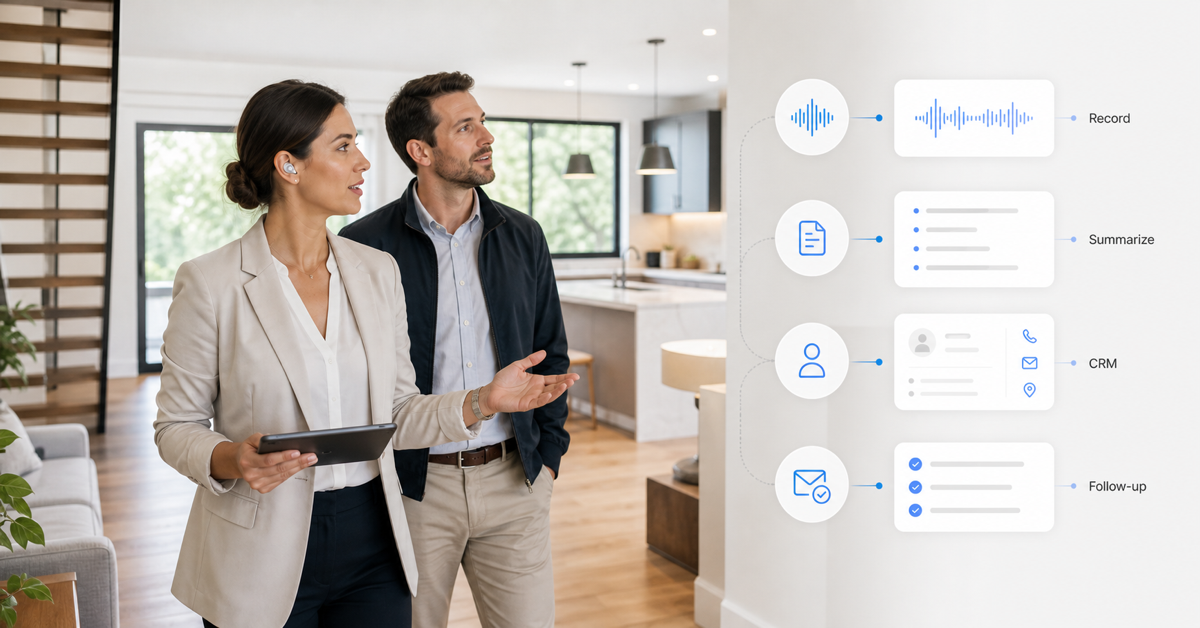
You can record from the earbuds while walking through properties or taking calls, then use the desktop experience later to review transcripts, organize summaries, pull action items, and write the actual follow-up. That is the practical bridge from showing to CRM.
| Agent moment | viaim workflow | Practical output |
|---|---|---|
| Buyer comments during a showing | Record hands-free while wearing earbuds | Specific likes, objections, and buying signals |
| Post-showing car recap | Save a quick voice note in the app | Clean memory before the next appointment |
| Several notes for one client | Combine fragmented recordings for analysis | One summary of preferences, concerns, and next steps |
| Property decision needs more context | Upload files and ask Vitana to analyze them together | Open questions, risk areas, and follow-up tasks |
| End-of-day self-review | Use Mirror Moment to reflect on call behavior | Better questions, clearer explanations, stronger next-step language |
| CRM and email work | Continue on web or desktop | Structured CRM notes and more personal follow-up emails |
The point is not to record everything. The point is to stop losing the small details that make a client feel understood.
Recording Etiquette for Real Estate Agents
Because real estate conversations can involve private financial, family, and negotiation details, recording needs to be handled carefully.
- Ask for consent before recording. Recording laws vary by location, and consent expectations vary by client.
- Explain the benefit simply. For example: "I use this to make sure I capture your preferences accurately and do not miss follow-up items."
- Pause when needed. Do not record sensitive moments if the client is uncomfortable.
- Keep summaries client-focused. Use the notes to improve service, not to create unnecessary data clutter.
- Store information responsibly. Client preferences, finances, and timelines should be treated as private business information.
For more context, read our guide to U.S. meeting recording laws.
Three Real-World Workflows
Workflow 1: Buyer Tour With Three Properties
- Before the tour, list the client's must-haves and dealbreakers.
- After each property, record a 60-second recap with address, reaction, likes, concerns, and next action.
- At the end of the tour, ask the buyer to rank the homes while the experience is fresh.
- Use the AI summary to update CRM fields by property.
- Send a recap email with ranking, open questions, and next steps.
Workflow 2: Listing Appointment
- Before the appointment, prepare questions about timeline, motivation, improvements, price expectations, and concerns.
- During the appointment, capture seller priorities and property details with consent.
- Afterward, summarize pricing objections, repair concerns, launch timeline, and promised follow-up.
- Add seller motivation and next steps to the CRM.
- Send a recap email that shows you understood both the property and the seller's situation.
Workflow 3: Open House Lead
- After a meaningful conversation, capture a quick note with the visitor's name, buying stage, favorite feature, objection, and follow-up permission.
- Add the lead to your CRM with context, not just contact information.
- Send a follow-up that references the specific conversation instead of a generic open house message.
A 7-Day Setup Plan
| Day | Setup task | Outcome |
|---|---|---|
| Day 1 | Choose the CRM fields you actually update after showings | A cleaner destination for your notes |
| Day 2 | Create your 60-second recap format | A repeatable way to capture property feedback |
| Day 3 | Write three follow-up templates | Buyer recap, strong interest, and weak fit emails ready to personalize |
| Day 4 | Test hands-free capture after one appointment | A real transcript and summary to evaluate |
| Day 5 | Map AI summaries into CRM fields | Less end-of-day retyping |
| Day 6 | Refine your recording consent script | A comfortable way to introduce note-taking |
| Day 7 | Use the full workflow on one buyer tour or listing appointment | A complete showing-to-CRM follow-up loop |
Start with one workflow, not your whole business. Once the habit is easy, expand it to more appointments.
How This Saves Time Without Making Follow-Up Feel Robotic
The time savings do not come from sending colder, faster emails. They come from not rebuilding the same information three times.
- You capture details while they are fresh.
- The AI summary gives you a clean starting point.
- Your CRM gets structured updates instead of scattered notes.
- Your follow-up emails include specific client language and property feedback.
- Your next conversation starts from context instead of memory.
That is the difference between automation that feels impersonal and automation that helps you be more attentive.
FAQ
What should real estate agents include in showing notes?
Useful showing notes should include the property address, client reaction, specific likes, objections, comparison points, buying signals, questions to answer, and the next action.
How can agents follow up faster after showings?
Use a repeatable recap format after each showing, then turn those notes into CRM fields and a personalized email. The key is capturing details before they blur together.
Can AI note-taking earbuds replace a CRM?
No. AI note-taking earbuds can capture and summarize conversations, but the CRM should remain the system of record for client data, pipeline stage, tasks, and follow-up history.
When is viaim most useful for real estate agents?
viaim is most useful during moments when typing is inconvenient: property tours, listing appointments, open houses, car recaps, vendor calls, and back-to-back showing days.
Is it okay to record client conversations during showings?
Only with proper consent and care. Recording laws and expectations vary by location, so agents should ask before recording and avoid capturing sensitive conversations without clear permission.
Which viaim product is better for real estate agents?
RecDot is a strong fit for quick capture and one-tap notes. OpenNote is a strong fit for longer showing days when open-ear comfort and environmental awareness matter. Some agents may use both depending on how they work. For a full side-by-side breakdown of specs, battery life, and recording features, see viaim RecDot vs OpenNote: Which AI Note-Taking Earbuds Are Right for You?



Share:
Cornell Note-Taking Method vs AI Note-Taking: When Each One Wins in 2026
10 Best AI Tools for Real Estate Agents in 2026 (By Workflow Stage)